
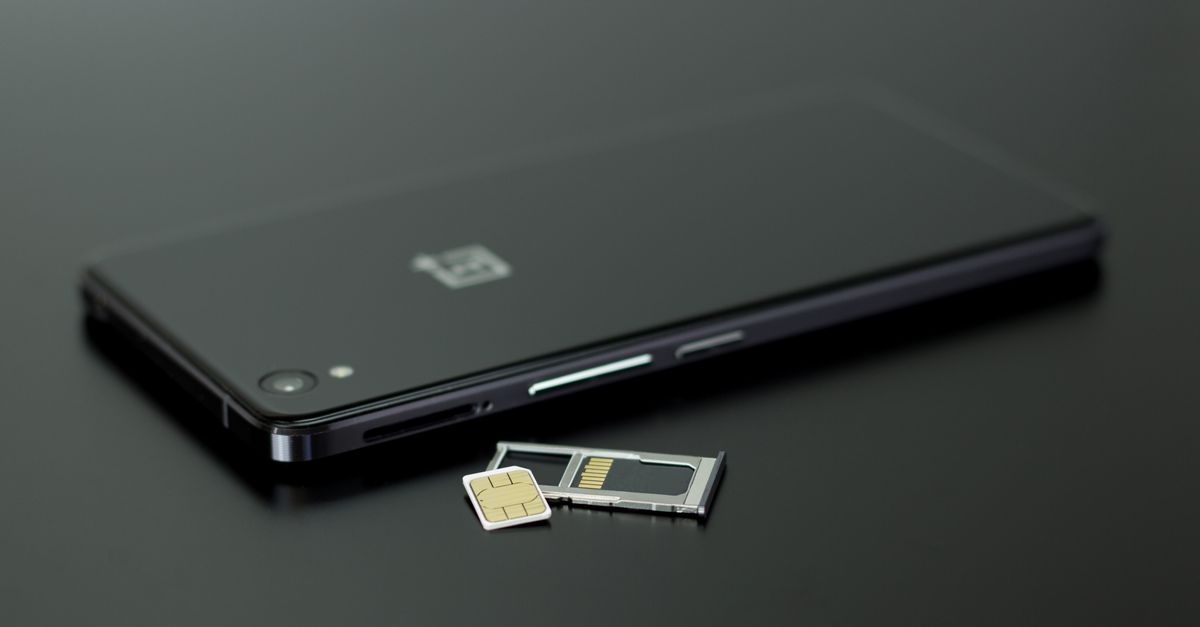
An internet SIM card and an internet eSIM both exist for the same reason: to give you mobile data in a country where your own plan is expensive or unavailable. Once connected, they behave almost identically. Your apps cannot tell the difference, and the local networks you use are the same kind either way.
Where they differ is everything around that connection: how you get one, how you put it in, what happens to your own number, and what can go wrong along the way. Those differences decide which one suits your trip.
Same job, different form
A data SIM card is a physical chip in a plastic carrier that you push into your phone's SIM tray. A data eSIM is a digital profile downloaded onto a chip that is already built into the phone. Both carry the same kind of credentials and both connect to mobile networks over 4G or, where available, 5G.
So the real comparison is practical rather than technical. Here is how the two stack up on the things travellers actually deal with.
Get your Spain eSIM in 30 seconds
Instant delivery, 4G/5G speeds, no roaming bills.
Buying and receiving
A physical internet SIM has to reach you somehow. That means ordering it to be posted before you travel, collecting it at a shop, or buying one after you land from an airport kiosk or a phone shop in town. Depending on the country, buying a local SIM may also involve showing your passport or registering your details, and the process can take a while if the staff speak a language you don't.
An eSIM arrives digitally. With HelloSIM, you pick a country, regional or Global plan, pay, and your QR code is emailed to you straight away, with a copy kept in your HelloSIM account and app. You don't even need an account; guest checkout only asks for an email. There is no postage to wait for and nothing to collect.
That difference matters most for last-minute trips. If you are flying tomorrow, a posted SIM may not arrive in time, whereas an eSIM can be bought and installed tonight.
Swapping, storing and losing the card
A physical SIM means a small ritual every trip: find the ejector pin, pop the tray, take out your own SIM, put the travel SIM in and store your home SIM somewhere safe. Then reverse the process when you get home.
That last part is where things go wrong. Nano SIMs are tiny, and they are easily lost in a hotel room, dropped on a train floor or left in a jacket pocket that goes through the wash. Lose your home SIM abroad and you may lose access to your number until you can get a replacement.
An eSIM removes the ritual entirely. You install it once in Settings, using either the QR code or the SM-DP+ address and activation code from your email, and your home SIM never leaves its slot. The eSIM itself is embedded, so there is nothing to drop or misplace.
Keeping your own number
This is often the deciding factor. If your phone has a single physical SIM slot, putting a travel SIM in means taking your own SIM out. While it is out, you won't receive calls or texts on your usual number, including the one-time codes many banks and apps send by SMS.
With an eSIM, both lines can work side by side. Your own SIM stays in place for calls and texts, while the eSIM handles mobile data. HelloSIM eSIMs carry data only, so there is no local number and no regular calls or texts on them, yet voice and video calls run perfectly well over internet apps such as WhatsApp, FaceTime, Telegram or Viber. Your WhatsApp account keeps using your usual number, so your contacts notice no change.
To make that set-up work smoothly abroad, point mobile data at the eSIM line and allow roaming on it: it won't connect abroad otherwise, and prepaid data means roaming doesn't add to the bill. Do the reverse on your home line, with roaming off, so your regular operator never charges for stray background data.
Phone compatibility
Here the physical SIM has a genuine advantage: it works in any carrier-unlocked phone with a SIM slot, however old.
An eSIM is choosier. The handset has to be eSIM-capable and free of any carrier lock. iPhones from the XS and XR onwards typically qualify, as do Google Pixels from the Pixel 3 on, recent Samsung Galaxy S and Z phones and many of the A series. If Settings offers an "Add eSIM" option, you are good to go. One exception catches people out: plenty of iPhones sold in mainland China, Hong Kong and Macao take two physical SIM cards and have no eSIM at all.
Portability is the other difference. A physical SIM can be moved between devices, whereas each eSIM is installed on a single phone.
Which suits whom
Neither option is right for everyone. As a rough guide:
- Choose an eSIM if your phone supports it and you want to keep your own number active, travel at short notice, prefer to sort everything at home before you leave, or simply don't want to handle tiny cards.
- Choose a physical data SIM if your phone doesn't support eSIM, or if you want to move the same SIM between several devices during your trip.
- Either can work for long stays, but an eSIM avoids keeping your home SIM loose in a drawer for months.
Making the switch to eSIM
If you are trying an eSIM for the first time, do it at home, a few days before you fly:
- 1Confirm your phone supports eSIM and is unlocked.
- 2Buy the plan for your destination and open the QR code email.
- 3Install it on Wi-Fi via Settings → Mobile Data (or Cellular) → Add eSIM on iPhone, or Settings → Network & internet / Connections → SIMs / SIM manager → Add eSIM on Android.
- 4On arrival, switch the eSIM line on, set it for mobile data and enable roaming on it.
Installing a few days early is fine, because the plan's days don't start until it connects at your destination. If you need more data mid-trip, top up the same eSIM rather than buying a new one.
Get your Latin America eSIM in 30 seconds
Instant delivery, 4G/5G speeds, no roaming bills.