
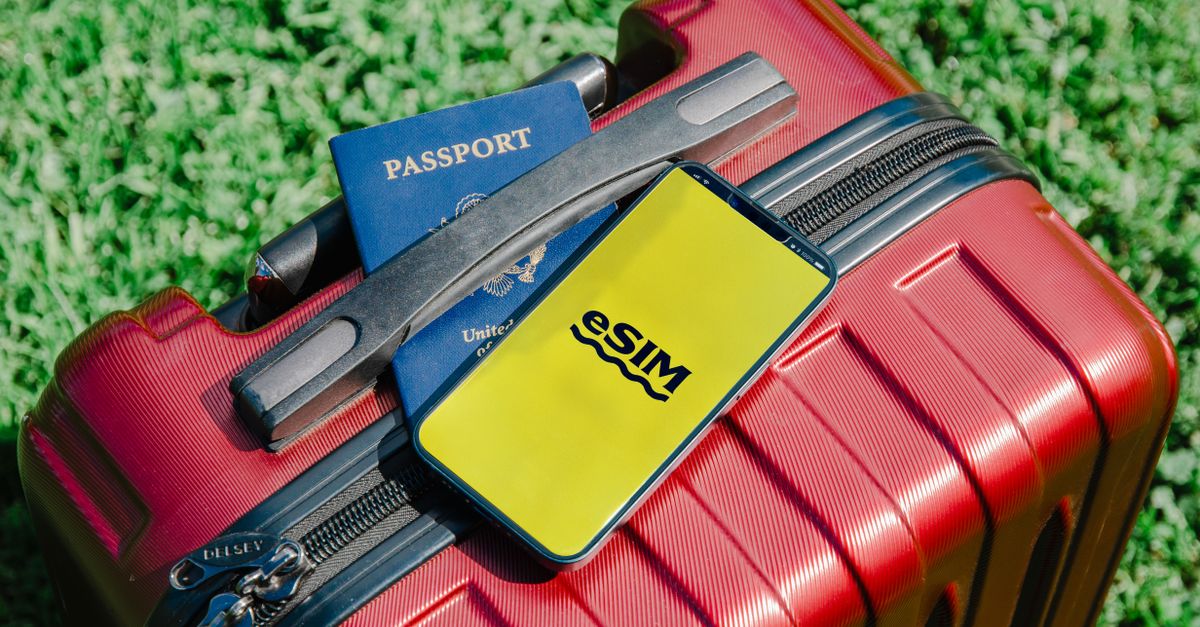
Most travel eSIM headaches are really timing headaches. The eSIM was downloaded over shaky airport Wi-Fi, switched on days too early, or left until the taxi queue with a flat battery. The right timing is refreshingly simple: install at home, leave it alone, and let it come to life when you land.
It helps to separate two moments that often get blurred together. Installing means downloading the eSIM profile onto your phone, a one-off job that needs an internet connection. Activating means the eSIM connecting to a mobile network at your destination for the first time. They can happen days apart, and that is exactly how it should be.
Get your Europe eSIM in 30 seconds
Instant delivery, 4G/5G speeds, no roaming bills.
Installing and activating are two different steps
When you install an eSIM, your phone adds a new line in its settings, next to your usual SIM. Nothing is used up at this stage: no data, no days. The line simply waits.
Activation is what happens later, when that line finds a network in the country it was bought for. With HelloSIM, the plan's validity starts at that first connection at your destination, not when you pay and not when you scan the QR code. Buying and installing a week early therefore costs you nothing, while leaving it all until arrival adds stress without any benefit.
The best moment to install: at home, a few days before departure
Your living room beats any departure lounge for this job, for a few practical reasons:
- A reliable connection. The download needs internet, and home Wi-Fi is steadier than a busy terminal network with a sign-in page.
- A second screen. A phone cannot scan a QR code shown on its own display, so open the email on a laptop or tablet, or print it. If you only have the phone, the manual option works too, using the SM-DP+ address and activation code from the same email.
- Time to fix surprises. If the phone turns out to be carrier-locked or has no "Add eSIM" option, you find out while there is still time to sort it out.
- No boarding call in your ear. Following a few setup screens is easier when nobody is calling your gate.
There is no penalty for being early. If you like to have everything ready a week or two ahead, go for it: the clock does not start until the eSIM connects abroad.
A relaxed timeline from booking to boarding
When you book the trip
Check two things about your phone. First, eSIM support: on an iPhone, look under Settings → Mobile Service (or Mobile Data) for an "Add eSIM" option; on Android, look in the SIM settings. Second, whether the phone is carrier-unlocked. On an iPhone, Settings → General → About shows "No SIM restrictions" next to Carrier Lock when it is unlocked; on Android, the quickest route is to ask your carrier. Bear in mind that many iPhones sold in mainland China, Hong Kong and Macao use two physical SIM slots instead of eSIM.
A few days before you fly
Buy the plan for your destination, or a regional plan if you are crossing borders. Checkout works as a guest with just an email address, and the QR code is delivered by email straight away; it is also saved in your HelloSIM account and the app. Then install it:
- iPhone: Settings → Mobile Service (or Mobile Data) → Add eSIM → scan the QR code.
- Android: Settings → Network & internet or Connections → SIMs or SIM manager → Add eSIM. The wording varies by brand.
Give the new line a clear label such as "Travel" and leave it switched off for now.
The day you travel
There is nothing to do except keep the email somewhere you can find it offline, perhaps as a screenshot. While you are still on home Wi-Fi, download an offline map of the area around your arrival airport; it costs nothing to have.
Get your Japan eSIM in 30 seconds
Instant delivery, 4G/5G speeds, no roaming bills.
Your arrival checklist
Once the wheels are down and the seatbelt sign is off, run through this list:
- 1Turn off aeroplane mode.
- 2Switch the HelloSIM line on in your mobile settings.
- 3Choose it as the line for mobile data.
- 4Turn on Data Roaming for the HelloSIM line. This is required, and it costs nothing extra because the data is prepaid.
- 5Turn Data Roaming off on your home line, so your own carrier cannot bill you for roaming.
- 6Wait for signal bars and a 4G or 5G indicator, then open a map to confirm data is flowing.
On an iPhone, also check that "Allow Mobile Data Switching" is off, so the phone does not quietly fall back to your home line for data. If the eSIM does not connect, toggle aeroplane mode, restart the phone and make sure network selection is set to automatic.
Left it late? Installing at the airport or after you land
It still works; it just takes more care. You need an internet connection for the download, so find the airport or hotel Wi-Fi first. If you are travelling with someone, open the QR code on their phone and scan it with yours. If you are alone, use manual entry: copy the SM-DP+ address and activation code from the email and paste them into the "Add eSIM" screen, choosing the option to enter details manually.
Once the eSIM is installed, carry on with the arrival checklist above. Because you are already at your destination, it will normally connect as soon as the line is on and roaming is enabled for it.
Timing mistakes worth avoiding
- Deleting the eSIM because it shows no service at home. A travel eSIM is meant to connect at your destination, so no signal before departure is normal. A QR code is generally meant to be installed once, so keep the eSIM on your phone.
- Switching the line on during a layover. If a regional or Global plan also covers a country you only pass through, keep the line off until you reach the place you actually want to use it, so the first connection happens where you need it.
- Forgetting data roaming on the eSIM line. This switch is often off for a newly added line, and without it the eSIM can show bars but no internet.
- Leaving roaming on for the home line. Many carriers charge for roaming by the day or by the megabyte, so check your current tariff if you are unsure.
- Trying to install the same eSIM on a second phone. One eSIM goes on one phone; each traveller needs their own.
If you run low on data later in the trip, there is no need to start again: a top-up adds data to the same eSIM from the Check / Top up page, your account or the app. And if anything refuses to cooperate, write to [email protected] or open the live chat in the HelloSIM app.
Get your Global eSIM in 30 seconds
Instant delivery, 4G/5G speeds, no roaming bills.