
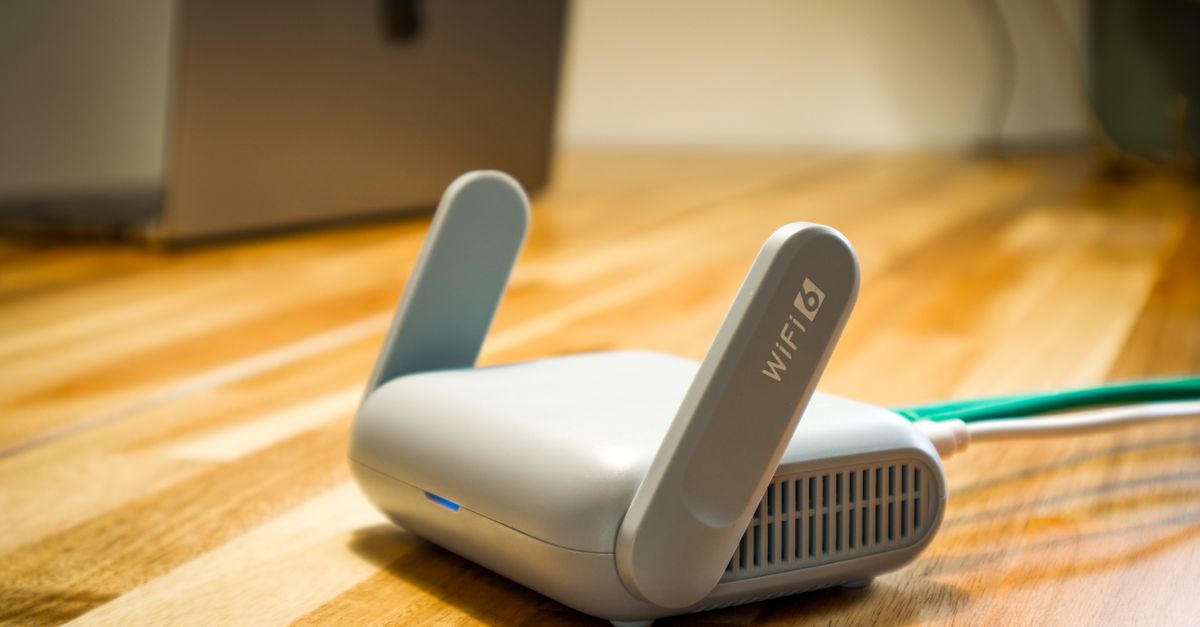
A pocket Wi-Fi router is a small, battery-powered box with a SIM card inside. It connects to a local mobile network and turns that connection into a private Wi-Fi network that your phone, tablet or laptop can join, just like the Wi-Fi at home. Travellers usually rent one for the length of a trip; some buy their own and put a local SIM in it.
An eSIM takes a different route: the data plan lives inside your phone, so there is no extra device at all. Both get you online abroad. The real difference is what your day looks like with each one, and that depends a great deal on who you travel with.
How a pocket Wi-Fi router works
The router does three things: it holds a SIM, it connects to the mobile network, and it broadcasts a Wi-Fi network protected by a password printed on the device or its box. Any gadget that can join Wi-Fi can connect, up to the number of devices the model allows.
Rental routers are typically ordered online and collected at an airport counter or delivered to your accommodation, then returned at the end of the trip by post or at a drop-off point. The data allowance, the return arrangements and what happens if you go over are all set by the rental company, so the terms matter.
Daily life with a router: carry it, charge it, return it
A router is genuinely handy, but it adds a small routine to every day:
- Carrying it. It has to come with you wherever you need internet, along with a cable and often a power bank.
- Charging it. A long day of maps, photos and messages can drain the router's battery before evening, and when it dies, every device connected to it goes offline at once.
- Staying close. Your phone is online only within Wi-Fi range of the router. If one person has it in their bag and the rest of the group heads somewhere else, the others are disconnected.
- Keeping track of it. It is one more thing to leave in a café or a taxi, and rental terms often include charges for a lost or damaged device or a late return.
- Returning it. The trip does not end at the gate; the router has to go back first.
In fairness, it also has clear strengths. One box can connect a laptop, a tablet and several phones, including phones that are locked to a carrier or do not support eSIM, because all they need is Wi-Fi.
Get your Japan eSIM in 30 seconds
Instant delivery, 4G/5G speeds, no roaming bills.
Daily life with an eSIM: nothing extra to manage
With an eSIM, the connection is part of your phone. You buy it online, the HelloSIM QR code arrives by email straight away, and you install it at home over Wi-Fi before you leave. Once you arrive, you switch the line on, set it for mobile data and turn on data roaming for that line, and your phone is online by itself.
There is no separate battery to watch, no device to collect and nothing to send back. Your own SIM stays in the phone for calls and texts, and the eSIM handles the data. Each person carries their own connection, so the group can split up for the afternoon without anyone being cut off.
The requirements are worth checking in advance: an eSIM-compatible phone that is carrier-unlocked, and one eSIM for each phone, since a HelloSIM eSIM is installed on one phone. HelloSIM eSIMs are also data-only, with calls and messages going through apps such as WhatsApp or FaceTime.
Solo travellers, couples and groups
Travelling alone
For one person with a compatible phone, an eSIM is the simpler choice: no second device, no rental terms, and your phone works whenever you need it.
Couples and friends
If you really do everything together, one router can serve both of you. In practice most travelling pairs split up at some point, for a run, a museum or a shopping trip, and that is when the router's range starts to matter. An eSIM on each phone keeps both of you independent.
Families and larger groups
A router can make sense when the group includes several Wi-Fi-only gadgets, such as children's tablets, and everyone moves around together. Older children and teenagers who head off on their own need a connection that goes with them, which points to an eSIM on their own phones.
Travellers who work from a laptop
If your laptop must be online away from hotel or office Wi-Fi, a pocket router is built for exactly that job. For the phone itself, an eSIM keeps your maps, messages and calls running without depending on the box in your bag.
Get your Italy eSIM in 30 seconds
Instant delivery, 4G/5G speeds, no roaming bills.
Questions to answer before you choose
- How many devices need internet, and are they phones, or Wi-Fi-only gadgets like tablets and laptops?
- Will everyone stay together all day, or split up regularly?
- Does each phone support eSIM, and is it carrier-unlocked?
- Who will carry and charge the router, and how and where must it be returned?
- How much data does each person use? As a rough guide, light use such as maps and messaging needs about 1 GB a week, social media and browsing 3–5 GB, and video, video calls or work 10 GB or more.
- What happens if the data runs out? With a router, that depends on the rental terms; with HelloSIM, you can add data to the same eSIM from the Check / Top up page, your account or the app.
When it makes sense to use both
Some travellers combine the two: an eSIM on each phone for independence, and a router or the accommodation's Wi-Fi for laptops and tablets that mostly stay in one place. Nothing says you have to pick only one. The aim is simply that nobody in your group ends up without directions because the device holding the connection went the other way.
Get your Global eSIM in 30 seconds
Instant delivery, 4G/5G speeds, no roaming bills.