
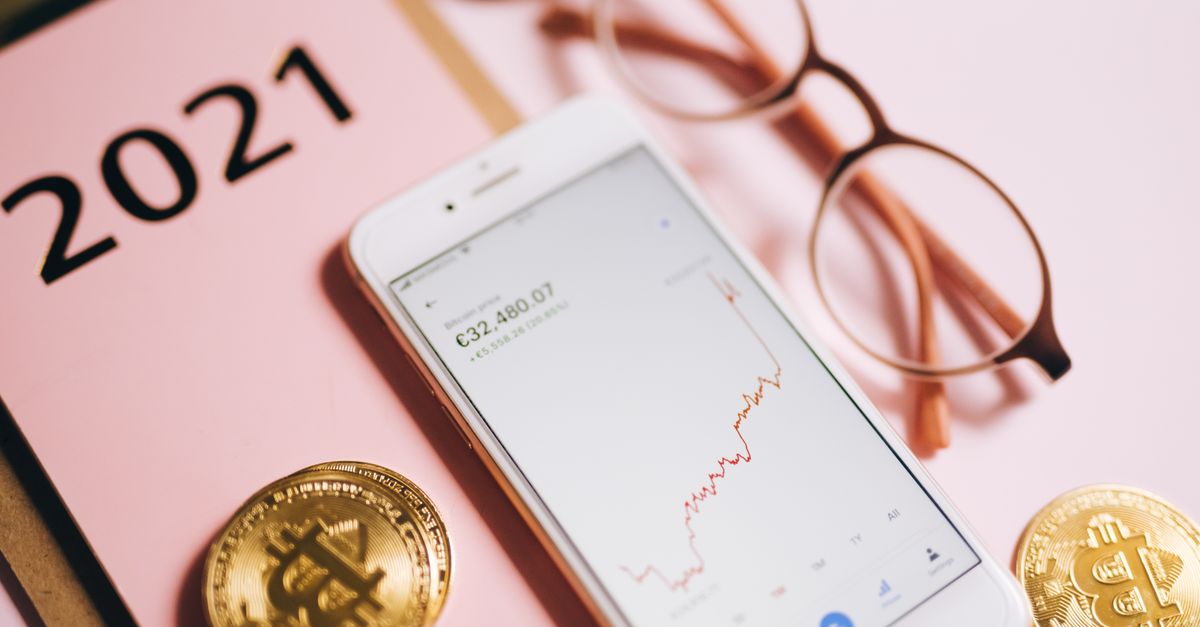
The amount on a crypto payment page often runs to many decimal places. It is tempting to treat the last few digits as unimportant, or to round them off into something tidier. With a crypto payment, though, the figure is the payment: it has to arrive at the address exactly as shown, on the network shown.
This guide explains what "exact" means in practice, the everyday ways an amount drifts away from it, and a short checklist that gets it right first time.
What "exact amount" really means
When you choose "Pay with crypto" and select a coin and network, the payment page shows an address, a QR code and the exact amount to send. That amount is calculated from the euro price at the moment of payment, which is why it is so precise. Exact refers to what arrives at the address. It does not mean the amount you typed, the euro price, or a rounded version that looks the same at a glance.
Three things have to line up: the right coin, the right network and the right amount. Get the first two right and the third wrong, and the payment can still fail or get stuck. Because a crypto payment cannot be reversed like a card chargeback, it is far easier to get the number right before sending than to sort it out afterwards.
Get your Mexico eSIM in 30 seconds
Instant delivery, 4G/5G speeds, no roaming bills.
Where amounts go wrong
Most wrong amounts are not big mistakes. They are small slips caused by how wallets and exchanges handle numbers.
Typing and rounding in wallets
Retyping an amount by hand is where most digits get lost. It is easy to stop a few decimals early or swap two digits in the middle. Copy the full amount from the payment page and paste it instead, then compare it with the page, paying close attention to the first and last digits. Some wallets also limit how many decimals you can enter; if yours cuts the figure short, it sends less than the page asks for.
Exchanges that limit decimals
Exchange withdrawal forms often accept only a set number of decimal places for each coin. If the payment page shows more digits than the form will take, never round down, because an amount that arrives even slightly short is the classic way a payment gets stuck. Rounding up by the smallest step the form allows is closer, but it is still a different amount. The more reliable route is to move the coins to a wallet of your own first and pay the full figure from there.
Wallets set to show euros or dollars
Many wallets let you type amounts in a regular currency and convert them for you. If yours is in that mode, typing the euro price, or a dollar figure, makes the wallet convert at its own rate, which will not match the payment page. Switch the amount field to the coin itself before you enter anything.
Exchange fees taken from the amount
Many exchanges subtract their withdrawal fee from the figure you type, so entering exactly the payment page amount means less arrives. Look for the line in the form that shows how much will be received, and raise your entry until that line matches the page. Network fees are meant to be paid by the sender on top of the amount, so the fee should never come out of what arrives.
"Send max" and "subtract fee" options
Some wallets offer a "send max" button, or a setting that deducts the fee from the amount. Both reduce what is sent so that the fee fits inside it. Leave them off for a payment with a fixed amount.
Scanning the QR code
Depending on the wallet, scanning the QR code may fill in the address and the amount, or only the address. Always look at the amount field after scanning, and never assume it was filled in for you.
Topping up a short payment with a second transfer
If a payment arrives short, the instinct is to send the difference. Do not do it blindly. A second, separate transfer is not guaranteed to be counted towards the same order, and if the request has expired by then it adds a second problem to the first. Contact support before sending anything else.
A pre-send checklist for the amount
- 1Copy the amount from the current payment page, not from an earlier order or a screenshot.
- 2Paste it into an amount field set to the coin, not to euros or dollars.
- 3Compare the first and last digits with the page.
- 4On an exchange, check the amount that will be received, not just what you typed.
- 5Make sure "send max" and any option to subtract the fee are switched off.
- 6Confirm that the network matches the page, and that you hold the fee coin if you are sending from your own wallet.
- 7Send within the hour: a payment request stays open for 1 hour, and an expired request should not be paid.
If the amount came out wrong
Mistakes happen, and the worst response is to keep sending. Instead, contact support on WhatsApp or at [email protected] with:
- the email address used for the order
- the coin and the network
- the amount you sent
- the transaction hash (TXID)
Support answers within 24 hours and can check what arrived. What can be done depends on what was sent, so no outcome can be promised in advance, which is exactly why the checklist above is worth the extra moment.
The reward for getting it right
When the exact amount arrives on the right network, there is nothing more to do. The payment is confirmed on the blockchain, usually quickly on fast networks and longer when a network is busy, and the eSIM's QR code is emailed to you and shows up in your account and the app.
Set it up at home over Wi-Fi, since the plan's validity does not begin until the eSIM first connects abroad. The eSIM is data-only, so keep your home SIM active for calls and SMS codes, and use apps such as WhatsApp or FaceTime for calls on the go. If you need more data later, a top-up adds it to the same eSIM.
Get your Latin America eSIM in 30 seconds
Instant delivery, 4G/5G speeds, no roaming bills.