
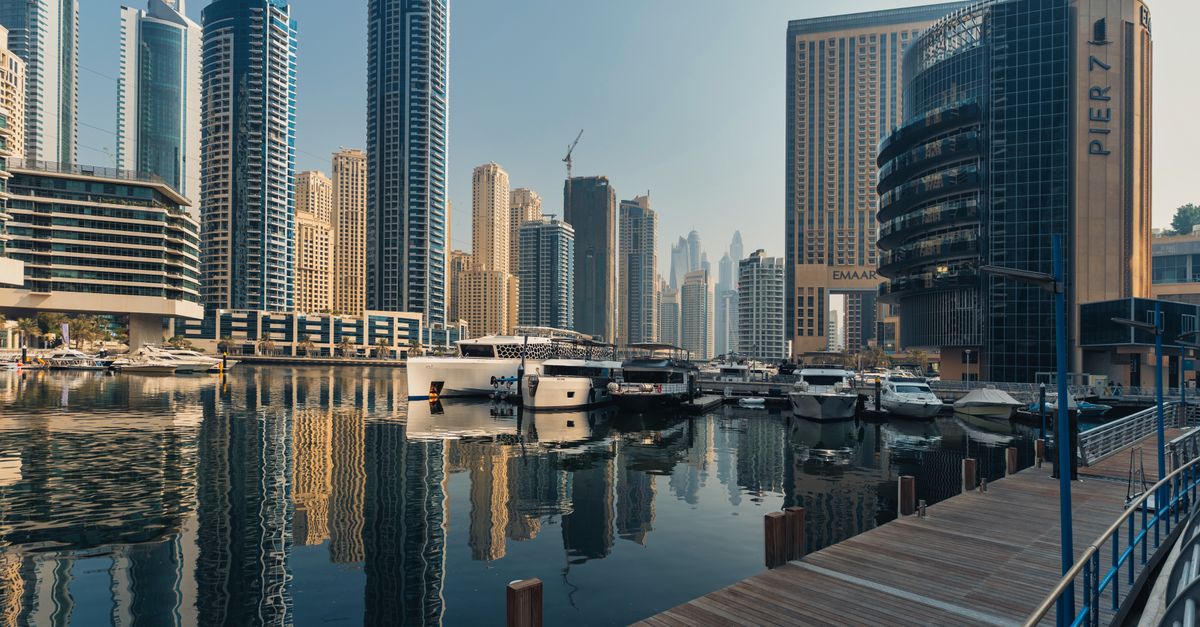
Plenty of people who work in crypto and finance fly into Dubai for a few days of meetings, a conference or a long stopover, and some end up staying for months. The city is built for it, with large hotels, office towers, malls you can work in and an airport with connections in every direction. What catches visitors out is less dramatic: heat that keeps everyone indoors for much of the year, long distances between districts, and the habit of logging into an exchange on whatever Wi-Fi the hotel lobby offers.
Here is how to land connected, choose a base and keep your apps in good shape, starting with the eSIM you can pay for with crypto before you board.
Before you board: the eSIM checklist
Do these at home on your own Wi-Fi, not at the gate:
- Check the phone. It must support eSIM and be carrier-unlocked. It is one eSIM per phone, so each traveller orders their own.
- Pay with crypto. Pick a United Arab Emirates plan, enter your email and choose "Pay with crypto". On the payment page, select the coin and the network you will actually send from.
- Watch the look-alike networks. ETH can be paid on Ethereum, Arbitrum or BNB Smart Chain, and the addresses on all three look the same. A wallet or exchange may accept the address on the wrong one without complaint, so set the network deliberately in both places.
- Make sure the full amount arrives. If an exchange takes its withdrawal fee out of the amount you type, less arrives than the page asks for. Set the amount so the exact sum lands, and send it within the 1-hour window.
- Install it. After blockchain confirmation, the eSIM arrives by email and shows in your account and the app. Install it over Wi-Fi and give the line a clear label so you can find it quickly on arrival.
Validity starts when the eSIM first connects in the UAE, not on the day you pay, so there is no reason to leave this until the last evening.
Get your United Arab Emirates eSIM in 30 seconds
Instant delivery, 4G/5G speeds, no roaming bills.
Arriving at DXB
Once you are off the plane at Dubai International, three settings get you online: turn the HelloSIM line on, choose it for mobile data and enable Data Roaming on it. Roaming on that line costs nothing extra, because the data is prepaid. On the home SIM do the opposite: data roaming off, line on, so security texts still come through.
With data running you can message your driver or host, open a ride-hailing app or check the route before you reach the exit. The Dubai Metro's Red Line has stations at Terminals 1 and 3 and runs out along the main road towards the Marina, which is handy if you are travelling light. Taxis wait outside the terminals as well.
Where visitors base themselves
Dubai stretches along the coast, and the district you pick shapes your days more than in most cities. Areas popular with remote workers and business visitors include:
- Dubai Marina and JLT (Jumeirah Lake Towers): high-rise living by the water, cafés at street level and Metro and tram links.
- Downtown Dubai and Business Bay: around the Burj Khalifa and the canal, central for meetings and full of hotels and serviced apartments.
- DIFC: the financial district, with offices and restaurants and a strong weekday business crowd.
- JBR and the Jumeirah beachfront: a resort feel, good for a longer stay with evenings by the sea.
- Deira and Bur Dubai: the older city around the Creek, with souks, abras (the traditional water taxis) and a very different pace.
Whichever you choose, you will move between districts by Metro or by car, and that is where reliable mobile data matters most: ride apps, maps and messages all depend on it.
Working in the heat: cafés, lobbies and coworking
For a good part of the year the heat pushes work indoors. Hotel lobbies, mall cafés and coworking spaces fill up with laptops, and the air-conditioning can be strong enough to make you wish you had packed a jumper. Coworking spaces with day passes are easy to find in the business districts when you need a quiet room for calls.
The trade-off is that almost every one of those places offers Wi-Fi with a sign-in page, and it is easy to fall into the habit of joining them all. For email and browsing that may be fine. For anything that moves money, stay on mobile data.
Wallet and exchange habits for the trip
- Open wallet and exchange apps on your HelloSIM data, not on lobby or mall Wi-Fi.
- Expect extra security checks when you log in from a new country. That is normal, and it is why your home SIM should stay active for SMS codes.
- Never approve a login or withdrawal prompt you did not start yourself, however urgent the message sounds.
- Keep a passcode and biometrics on the phone, and don't leave it on a café table while you queue.
- Keep your recovery phrase off the phone and out of cloud notes.
Before using crypto for anything in Dubai other than your eSIM, take a moment to check local rules.
Calls, messages and staying reachable
The eSIM is data-only, so it comes without a UAE phone number. Messaging apps work over it just as they do at home. Some voice and video calling features in internet apps can behave differently in the UAE from what you are used to, so test the ones you rely on soon after landing. If you may need ordinary calls on your home number, know your carrier's roaming rates before you use them.
Heading on from Dubai
Dubai is a hub, and many trips continue on to Asia, Europe or Africa. A United Arab Emirates plan is not limited to Dubai, so a day trip to Abu Dhabi runs on the same eSIM. If you are flying onward, a Global plan keeps one eSIM working across many countries; check its coverage list for every stop before you buy. If you run low while still in the UAE, a top-up adds data to the same eSIM, and a HelloSIM wallet balance funded with "Pay with crypto" is a tidy way to keep money ready for exactly that.
Get your Global eSIM in 30 seconds
Instant delivery, 4G/5G speeds, no roaming bills.