
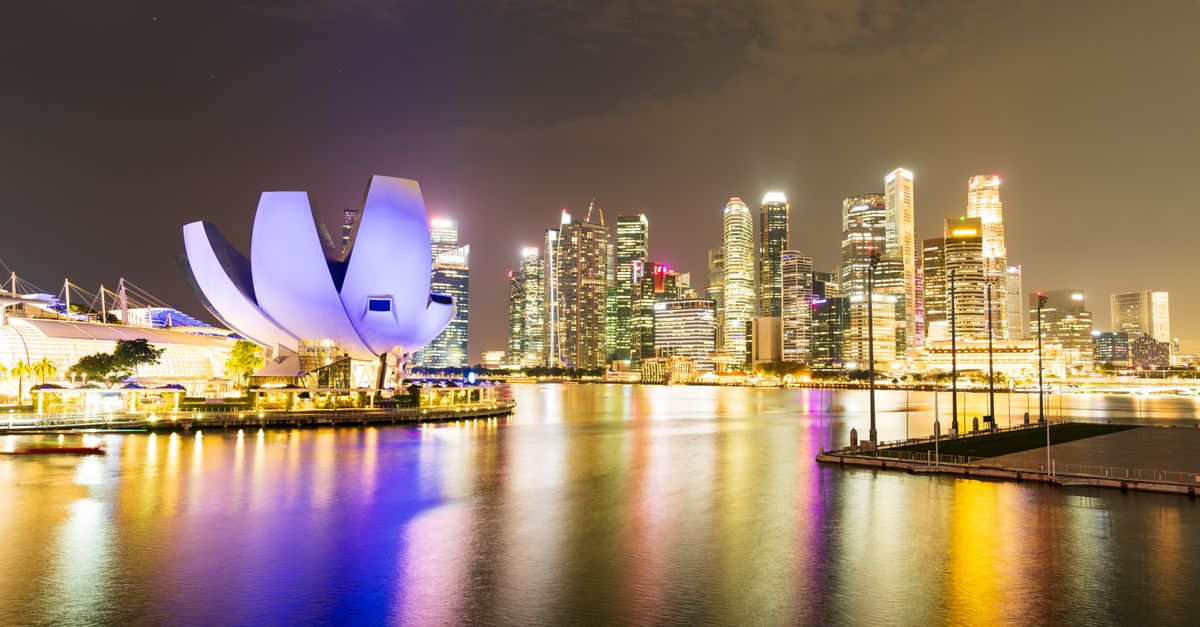
Singapore is a city where a phone with data does most of the work for you: maps, the MRT, ride-hailing, food orders and the messages that hold a day of meetings together. For a crypto traveller in town for business, a conference or a week of focused work, it is one of the easiest cities in Asia to get around, as long as you are connected. And with so many people close by on trains and at café tables, it rewards a little care with what you open on screen.
Below: paying for the eSIM in crypto, the first hour after landing, neighbourhoods to stay in, where to work, and habits that keep your wallet and exchange apps private.
Paying for your Singapore eSIM with crypto
You can sort the eSIM in one sitting a few days before you fly:
- 1Choose a Singapore plan on the HelloSIM website or in the app.
- 2Enter the email address the eSIM should go to. Guest checkout works, and a signed-in customer can enter a colleague's email to send the eSIM straight to them.
- 3Select "Pay with crypto" at checkout.
- 4On the payment page, choose the coin and network that match where your funds sit, for example USDC on Polygon or USDT on TRON.
- 5Send the exact amount shown to the address shown, on that network, within 1 hour. The network fee is yours to pay, on top.
- 6Wait for the blockchain confirmation, usually quick on fast networks and slower when a network is busy. The eSIM then arrives by email and appears in your account and the app.
- 7Install it over Wi-Fi before you leave.
If the hour runs out before you send, don't use the old address; create a new payment from checkout. Crypto payments cannot be reversed like a card chargeback, so check the coin, network and amount once more before you confirm.
Get your Singapore eSIM in 30 seconds
Instant delivery, 4G/5G speeds, no roaming bills.
From Changi into the city
In your phone's SIM settings the order is simple: HelloSIM line on, HelloSIM selected for mobile data, Data Roaming enabled on it. That costs nothing extra because the data is prepaid. Your home line stays on for texts, with its own data roaming switched off.
Changi offers Wi-Fi, but with your own data running you can message your hotel, book a ride or plan your MRT route before you even reach the arrivals hall. The MRT links the airport with the city, and taxis and ride-hailing pickups are well organised outside. The connection is 4G/LTE, and 5G where the plan says so.
Neighbourhoods for working and staying
Singapore is compact and the MRT is efficient, so you can stay in one area and work across the island. Some well-known choices:
- Central Business District, Raffles Place and Tanjong Pagar: offices, hotels and meetings within walking distance; busy on weekdays, quieter at weekends.
- Marina Bay: the skyline, large hotels and waterfront walks, convenient for events.
- Tiong Bahru: low-rise and residential, with independent cafés and bakeries.
- Kampong Glam and Bugis: colourful streets, shophouses and small cafés around the Sultan Mosque.
- Robertson Quay and River Valley: riverside living that suits longer stays.
- Katong and Joo Chiat: in the east, closer to the airport, known for Peranakan shophouses and food.
- one-north: a business and research district in the west with a strong tech presence.
Cafés, coworking and hawker centres
Food culture in Singapore centres on hawker centres: covered halls of stalls where you share tables and eat well without fuss. They are ideal for lunch between calls but not for working, because tables are for eating and people wait for seats at busy times. For laptop hours, independent cafés and coworking spaces with day passes are the better fit, and coworking spaces add meeting rooms for calls that need privacy.
Pack a light layer, since air-conditioned rooms feel cold after the humidity outside. Sudden tropical downpours are common too, and having data on hand makes a quick change of plan or a ride home easy.
Keeping wallet and exchange apps private
Singapore feels orderly, which makes it tempting to relax about phone security. Here the risks are mostly about who can see your screen and which networks you join.
- Mind the screen. On a packed MRT carriage or at a shared table, someone is often close enough to read it. Check balances and approve transactions somewhere less crowded.
- Keep money apps on mobile data. Public and café Wi-Fi is fine for browsing; wallet and exchange apps belong on your HelloSIM data.
- Check pasted addresses. After copying an address, compare the first and last several characters with the source before you send, because clipboard malware and look-alike addresses are real tricks.
- Keep two-factor working. Your home SIM stays in the phone for SMS codes, and if you use an authenticator app, set up its backup before you travel.
Anything you want to do with crypto in Singapore beyond buying the eSIM is worth checking against local rules first.
Staying reachable during meetings
A data-only eSIM means no local number, so share your WhatsApp or Telegram with the people you meet and use FaceTime or app calls for quick check-ins. Your home number keeps receiving texts alongside. If the trip runs longer than planned, a top-up adds data to the same eSIM, and keeping a little on your HelloSIM wallet balance, added with "Pay with crypto", makes that a quick job.
Side trips around the region
Singapore makes a natural base for short trips: across the Causeway to Johor Bahru in Malaysia, or by ferry to the Indonesian islands of Batam and Bintan. A Singapore plan is for Singapore, so for side trips like these, or a longer route through Southeast Asia, the Asia Pacific regional plan puts several countries on one eSIM. Confirm each country on your route is on its list before buying.
Get your Asia Pacific eSIM in 30 seconds
Instant delivery, 4G/5G speeds, no roaming bills.