
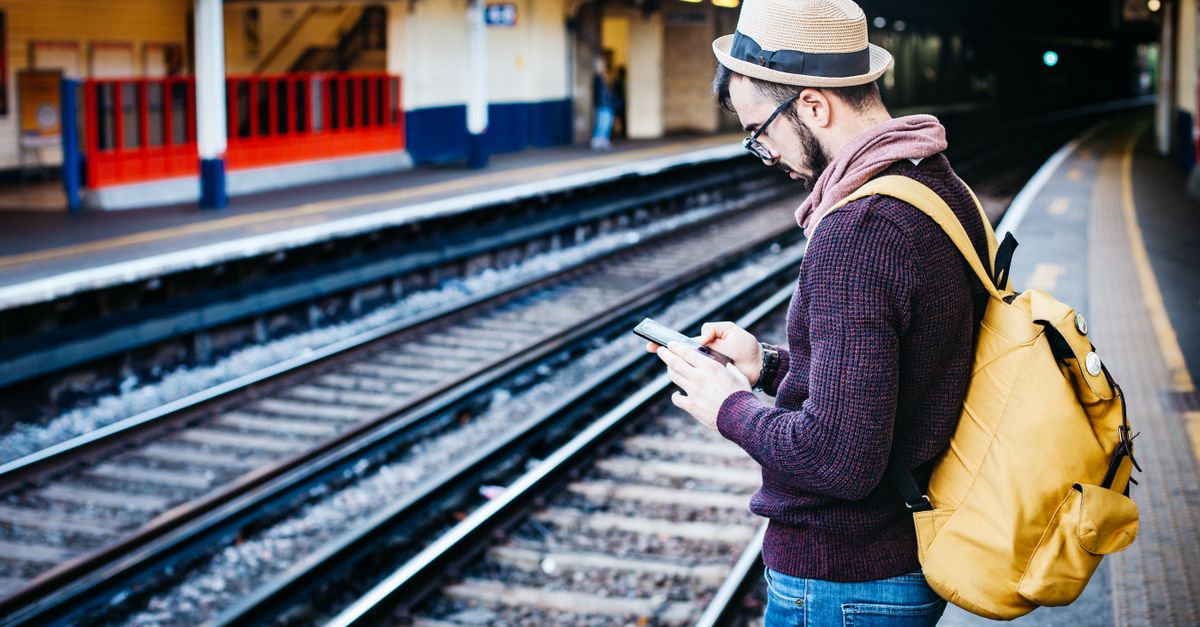
A semester abroad starts long before the first lecture: the flight, the arrival, the walk from the station to an address you have only seen on a map. Having mobile data from the moment you land makes that first day far easier. If you have some crypto saved, you can pay for that data with it. Choose a plan on HelloSIM, select "Pay with crypto" at checkout and send the exact amount shown. The eSIM sits next to your home SIM, so your own number keeps receiving the SMS codes your bank sends.
Whether the exchange term is in Spain, Japan or somewhere else, the student-specific parts are the same: keeping the home number, checking the phone, paying from savings without mistakes, and sizing data for a stay that lasts months rather than a long weekend.
Why your home SIM stays in the phone
HelloSIM eSIMs are data-only. They do not replace your SIM card; they add a second line that handles mobile data, while your own SIM keeps your number. For a student abroad, that second part is often the important one:
- Bank and payment apps often send sign-in and payment codes by SMS to your home number.
- Exchange and wallet apps may use SMS codes as a second factor too. Where an authenticator app is offered, setting it up before you leave gives you a backup.
- Family and old friends can still call or text the number they know.
On arrival you turn data roaming off on the home line so it stops using mobile data, and the SIM stays in the phone for calls and texts. Check with your home carrier what incoming calls and SMS cost abroad, because that is their tariff, not HelloSIM's.
Get your Spain eSIM in 30 seconds
Instant delivery, 4G/5G speeds, no roaming bills.
Check your phone before you pay
Two conditions must both be met, and they are easy to overlook on a phone you have had for years:
- eSIM support. On an iPhone, look for Add eSIM under Settings → Mobile/Cellular. On Android, check the SIM or SIM manager settings.
- Carrier-unlocked. A phone that came with a contract may be locked to that carrier. Ask the carrier before you buy anything.
Do this before paying. Crypto payments cannot be reversed like a card chargeback, and all sales are final once the eSIM is delivered. The only exception is a verified technical fault that support cannot fix and on which no data was used.
Paying with crypto you have saved
This is not a guide to whether you should spend your crypto, only to paying correctly once you have decided to.
- Use a coin and network the payment page lists. Bitcoin on-chain, Litecoin, ETH, SOL, TON, and stablecoins such as USDT and USDC on several networks are among the options; the page shows the full choice.
- Move a small amount into a wallet you control before checkout if your savings sit on an exchange. Exchange withdrawals can need security checks, and a payment request stays open for 1 hour. If you will send a stablecoin, add a little of the network's own coin for the fee.
- Expect a different number from the euro price. Prices are set in euros and the crypto amount is calculated at the moment of payment. Send the exact amount shown, not a figure from an earlier attempt.
- Pay the network fee on top. If an exchange subtracts its withdrawal fee from the amount you type, adjust it so the full amount arrives.
- Check the network twice. Sending on a different network or in a different coin can fail or get stuck, and getting it back is not guaranteed.
The minimum crypto payment is €1.00.
Matching a plan to a semester
A term abroad is long, and your data use will change across it. The first days are the heaviest: maps, transport apps, university portals, flat-hunting sites and video calls home. Later, the flat's and the campus Wi-Fi take over much of the load.
- The host country points to a country plan; HelloSIM covers 190+ destinations.
- Weekend trips to neighbouring countries are simpler on a regional plan such as Europe or Asia Pacific, so the same eSIM keeps working across borders.
- Running low is solved with a top-up, which adds data to the same eSIM and can also be paid with "Pay with crypto".
- Validity starts when the eSIM first connects at your destination, so buying it weeks before departure does not shorten it.
Whether you keep topping up all term or set up something local later is your call. Either way, the eSIM gets you online from the moment the plane lands, before you have a local address, a local bank account or a student card.
Get your Europe eSIM in 30 seconds
Instant delivery, 4G/5G speeds, no roaming bills.
Arrival day, step by step
- 1At home, before the flight: install the eSIM over Wi-Fi. Open the QR code email on a laptop, then on iPhone go to Settings → Mobile/Cellular → Add eSIM, or on Android to Settings → Network & internet or Connections → SIMs or SIM manager → Add eSIM, and scan it.
- 2After landing: switch the HelloSIM line on and make it the line for mobile data.
- 3Turn on Data Roaming for the HelloSIM line. The data is prepaid, so this adds no cost.
- 4Turn data roaming off on your home line.
- 5Tell home you have arrived over WhatsApp, FaceTime or Telegram; on a data-only eSIM, these apps are how you call and message.
When a parent pays instead
Sometimes the crypto belongs to a parent rather than the student. That works too: a parent signed in to their own HelloSIM account can enter the student's email address at checkout so the eSIM is delivered straight to the student, then pay with crypto from their own wallet. The student installs it as above. One eSIM goes on one phone, so it is for the student's phone only.
If something goes wrong
If no eSIM email has arrived, first check whether the payment has been confirmed. That is usually quick on fast networks and takes longer when a network is busy. Look in spam and promotions too, and in your HelloSIM account or the app if you have one. If the payment arrived short, went out on another network or was sent after the request expired, contact support on WhatsApp or at [email protected] with your order email, the coin, the network and the transaction hash (TXID). Support answers within 24 hours.
Land connected and keep your number
Study-abroad admin is long enough without hunting for Wi-Fi on your first day. Check the phone, pay the exact amount on the right network from a small wallet, install at home, and keep your home SIM in for the codes that matter.
Get your Japan eSIM in 30 seconds
Instant delivery, 4G/5G speeds, no roaming bills.