
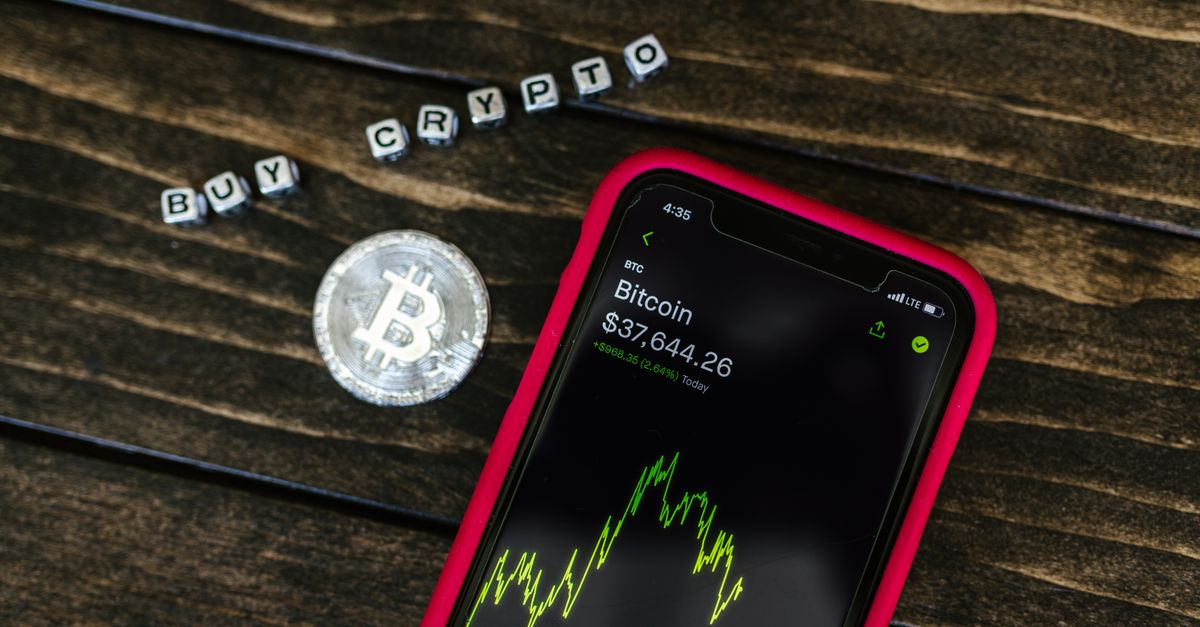
Yes, you can pay for a HelloSIM eSIM with USDC on BNB Smart Chain. Select "Pay with crypto" at checkout on the website or in the app, choose USDC and BNB Smart Chain on the payment page, and send the exact amount on that network, with a little BNB in your wallet to pay the gas.
The token is rarely the problem. The address is. A BNB Smart Chain address looks exactly like an address on four other networks HelloSIM accepts for USDC, so the network you select is the only thing that decides where your USDC actually goes.
One 0x address, several blockchains
BNB Smart Chain, Ethereum, Polygon, Arbitrum and Avalanche C-Chain all use the same account system. An address on any of them is 0x followed by 40 characters, and one private key gives you the same address on every one of these chains. That is why a multi-chain wallet shows you a single address but a different balance depending on which network is selected.
For a payment, this has an uncomfortable consequence. When the payment page gives you a 0x address for USDC on BNB Smart Chain, nothing in the address itself tells your wallet or exchange which network to use. You make that choice. If you send USDC on Ethereum to that same address, the transfer is perfectly valid on Ethereum and lands at that address on Ethereum, but it is not the transfer the payment request is expecting. It can fail or get stuck, and recovery is not guaranteed.
So treat the network as part of the address. "This address, on BNB Smart Chain" is the full instruction; the string of characters alone is only half of it.
Get your Asia Pacific eSIM in 30 seconds
Instant delivery, 4G/5G speeds, no roaming bills.
The names BNB Smart Chain goes by
Wallets and exchanges do not agree on one label. You may see BNB Smart Chain, BSC, BEP20 or BEP-20, and they all point to the same network. BEP-20 is the token standard there, so "USDC BEP20" in an exchange menu means USDC on BNB Smart Chain.
Watch out for the wider brand name. BNB Chain is an umbrella that covers BNB Smart Chain and other networks such as opBNB, which is a separate network. If your exchange lists opBNB as an option, that is not the network for this payment. Look for Smart Chain, BSC or BEP20 in the label.
BNB pays the gas
Sending a token on BNB Smart Chain costs a network fee, and that fee is paid in BNB. A wallet with USDC on BNB Smart Chain but no BNB on the same network cannot send it. BNB held on opBNB, on another network or on an exchange does not count; it has to be BNB on BNB Smart Chain in the wallet you are paying from.
A small amount is enough, and your wallet shows the fee in BNB before you confirm. Remember that the fee is paid on top: the full USDC amount from the payment page must still arrive.
Paying straight from an exchange works differently. You do not need BNB there, because the exchange charges its own withdrawal fee instead. Many exchanges take that fee out of the amount you type, so check the figure that will be received and set the amount so that the exact sum arrives.
How to pay with USDC on BNB Smart Chain
- 1Confirm where your USDC is. In a wallet, look for the network label or badge next to the token. On an exchange, check that USDC withdrawals are offered on BNB Smart Chain.
- 2Check your phone. It must support eSIM and be carrier-unlocked, and one eSIM goes on one phone.
- 3Go to checkout. Choose your plan, enter your email or, if you are signed in, the traveller's email so the eSIM goes to them, then select "Pay with crypto".
- 4Choose USDC and BNB Smart Chain. The payment page shows the address, a QR code and the exact amount.
- 5Match the network in your wallet. Switch to BNB Smart Chain and select USDC on that network.
- 6Paste or scan, then compare. Check the first and last characters of the address, and the amount to the last decimal.
- 7Confirm and save the TXID. Keep it with your order email until the eSIM has arrived.
Lookalike tokens and other traps on BNB Smart Chain
- Tokens that only look like USDC. Anyone can create a token on BNB Smart Chain and give it a similar name, and unknown tokens sometimes appear in wallets uninvited. A token with a similar name is a different asset. Pay with the USDC you bought or withdrew yourself, never with a token that turned up on its own.
- USDT instead of USDC. Both are dollar stablecoins, both live on BNB Smart Chain and both sit under the same address in your wallet. They are still different coins, and sending the wrong one can fail or get stuck.
- BNB instead of USDC. In some wallets the native coin is the first thing selected on the send screen.
- A preselected network on the exchange. If the withdrawal form defaults to Ethereum (ERC20), the address will still be accepted. Change it before you confirm.
- A pasted address you did not check. Clipboard malware and address-poisoning tricks rely on people not looking. Compare a few characters at the start, middle and end.
If anything did go wrong, contact HelloSIM support on WhatsApp or at [email protected] and include the order email, the coin, the network you used and the transaction hash. Support answers within 24 hours.
Timing, minimum and finality
A payment request stays open for 1 hour. If yours expires, do not send to it; create a new one at checkout. If you had already sent before noticing, contact support with the TXID.
The minimum crypto payment is €1.00. Prices are set in euros and the USDC amount is calculated at the moment you pay, so it will not be the same number as the euro price. Confirmation on the blockchain is usually quick on fast networks and takes longer when a network is busy. Crypto payments cannot be reversed like a card chargeback, and all sales are final once the eSIM is delivered, except for a verified technical fault that support cannot fix and on which no data was used.
When the eSIM arrives
You get the QR code by email after the payment is confirmed, and it is also in your account and the HelloSIM app. Install it over Wi-Fi before your trip; validity starts only when it first connects at your destination. When you land, switch the HelloSIM line on for mobile data, turn on Data Roaming for that line and turn data roaming off on your home line. Your own SIM stays active for calls and SMS, and top-ups later add data to the same eSIM.
Get your Global eSIM in 30 seconds
Instant delivery, 4G/5G speeds, no roaming bills.