
The short answer for Osaka
The simplest way to have mobile data in Osaka is a HelloSIM Japan eSIM, installed at home over Wi-Fi and switched on when you land. The QR code is delivered by email straight away, and the plan connects once you arrive in Japan, so buying a week or two before your flight is fine.
One Japan plan works across the country, not just in the city. That matters in Osaka, because many visitors use it as a base for Kyoto, Nara, Kobe and trips further west. You do not need a second plan for any of them.
Get your Japan eSIM in 30 seconds
Instant delivery, 4G/5G speeds, no roaming bills.
Before you fly: check your phone
Your phone must support eSIM and be carrier-unlocked. On an iPhone, look for "Add eSIM" under Mobile Data (Cellular) settings. On Android, look under SIM manager or SIMs in your connection settings; the wording varies by brand. You can also dial *#06# and check for an EID number.
One detail catches travellers out: many iPhones sold in mainland China, Hong Kong and Macao have two physical SIM slots and no eSIM. If your phone came from one of those markets, check it before you buy.
Install the eSIM over Wi-Fi at home, label it something clear like "Japan", and leave the line off until you land. Don't delete it while you still need it: a deleted eSIM usually can't be reinstalled.
Getting online at Kansai International or Itami
Whichever airport you use, the steps on landing are the same:
- 1Switch on the HelloSIM line in your phone settings.
- 2Set it as the line for mobile data.
- 3Turn on Data Roaming for the HelloSIM line only. This is needed and costs nothing extra, because the data is prepaid.
- 4Keep Data Roaming off on your home line. Home carrier roaming can be expensive, so check your current tariff if you plan to use it at all.
Your home SIM can stay in the phone for calls and texts. The HelloSIM plan is data only, with no Japanese phone number, so you call and message through WhatsApp, FaceTime, LINE or similar apps.
If you forgot to install the eSIM, Kansai International has free airport Wi-Fi in the terminals and at the rail stations. Connect to it and install the eSIM before you head for the trains. If the QR code is on the same phone, use the manual option with the SM-DP+ address and activation code from the same email.
On the train into the city
From Kansai International, many travellers take a JR train towards Tennoji and Shin-Osaka or a Nankai train to Namba. From Itami, the airport buses and the Osaka Monorail are the usual options. Having data on the way lets you check which platform you need, confirm your stop, and message your hotel if you are running late. It also lets you look up the walk from your station exit to your hotel, which can take longer than you expect in Osaka's large stations.
Getting around Osaka's big hubs
Osaka is easy to navigate once you are inside the right station. Getting there is the hard part.
Umeda
Umeda is a cluster of stations with different names, run by different rail companies and joined by long underground shopping streets. The JR station is called Osaka, while the subway and private railways use names such as Umeda, Higashi-Umeda and Nishi-Umeda. A live map tells you which one your line actually leaves from, and step-by-step walking directions help you through the underground passages without surfacing at the wrong corner.
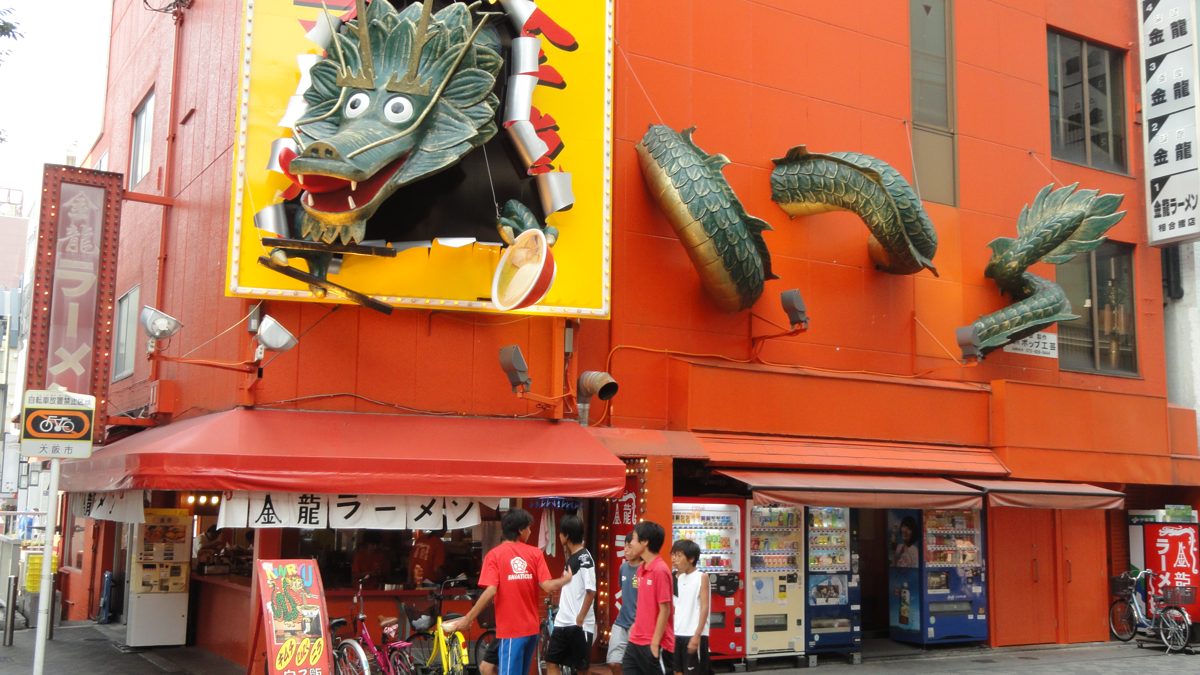
Namba and Dotonbori
Namba has the same pattern on a smaller scale, with Nankai, Kintetsu, JR and the subway all using a "Namba" name. Dotonbori, a short walk away, gets crowded after dark, and it is easy for groups to lose each other on the canal bridges. Sharing your live location in a messaging app is the easiest way to meet up again. Kuromon Market nearby is a good place to use camera translation on handwritten labels.
Osaka Castle and Shinsekai
Osaka Castle sits in a large park with several stations around it, so a map helps you pick the closest gate for your route onward. Shinsekai, around Tsutenkaku Tower, is full of small kushikatsu counters and old-style shops. Signs and menus are often in Japanese only, so translation is useful here.
The apps that make data worth having
A few things in Kansai work much better with a live connection:
- Maps and transit apps for routes across JR, subway and private railways, with live platform and timing details.
- Translation apps with camera mode for signs, ticket machines and handwritten menus. Download the Japanese offline pack too, as a backup.
- QR menus in some izakayas and casual restaurants. You scan a code at the table and order on your own phone, which needs data.
- IC cards on your phone. An ICOCA card can be added to Apple Wallet on iPhone and topped up there with a supported payment card. Some international cards may not be accepted, so check yours before you rely on it.
Theme-park days
At Universal Studios Japan, the official park app shows ride wait times and is where you get timed entry tickets for some areas inside the park. It needs the latest app version and a working data connection while you move around.
Install and sign in to the app at your hotel, and keep your HelloSIM line on as your data line all day. If you share photos and videos as you go, this is likely to be the day you use the most data, so check your remaining balance the night before, in the HelloSIM iPhone app or on the website.
Kansai day trips on the same plan
Because the Japan plan is not tied to one city, your eSIM keeps working on these trips wherever its local networks reach:
- Kyoto: sights such as Fushimi Inari Shrine and Arashiyama are busy and spread out. Live maps help with bus routes, which are harder to follow than trains.
- Nara: the park and temples are close together, but check your return train times before you set off.
- Kobe: a short train ride away, with the harbour, Kitano and Chinatown all easy to reach on foot.
- Himeji: reachable by Shinkansen or by regular JR trains, and a good stop if you are heading west.
- Hiroshima: a longer Shinkansen trip from Shin-Osaka. Signal can vary along the route, so download anything you need, such as tickets or offline maps, before you board.
The HelloSIM Japan page lists au (KDDI) and Rakuten as the local networks, both marked 5G, and the eSIM connects to one of them automatically. You get 5G where those networks offer it and your phone supports 5G. Speeds depend on the local network, crowds and signal.
How much data a Kansai trip uses
As a rule of thumb, light use such as maps and messaging takes about 1 GB a week. Regular use with social media and browsing is about 3 to 5 GB a week, and heavy use with video calls or streaming can reach 10 GB or more. Unlimited plans are also available for Japan, with a fair-usage policy. If you run low, you can top up the same eSIM in the app or on the website without reinstalling it.
Combining Osaka with Korea or other countries
If Osaka is one stop on a longer trip, the Asia Pacific plan covers more than 30 countries on one eSIM. Its list includes Japan, South Korea, Taiwan, Hong Kong, Thailand, Vietnam and Singapore. That suits a route like Osaka and Kyoto followed by Seoul or Busan, without changing eSIMs at the border.
If you are only visiting Japan, the Japan plan is the simpler choice.
Get your Asia Pacific eSIM in 30 seconds
Instant delivery, 4G/5G speeds, no roaming bills.