
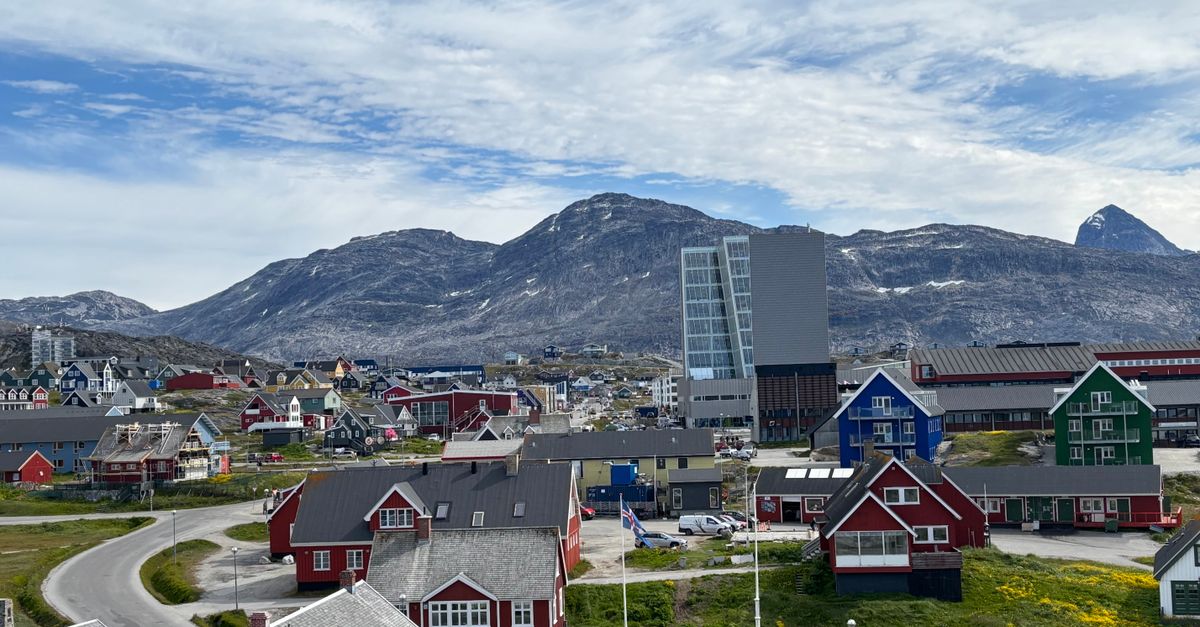
Flights from abroad arrive in Nuuk, the capital, and at a handful of other airports, and domestic flights then link the towns along the coast; many visitors also come on expedition cruise ships. Install a HelloSIM eSIM at home before you go, and it connects to the local network once you reach a town with signal.
Why use an eSIM in Greenland
- There are no roads between towns, so every transfer is a flight, a helicopter ride or a boat. Keep confirmations and any changes on your phone while you are in town.
- Weather can reshuffle flights and boat departures, and with data you can follow updates and message your accommodation as soon as you land somewhere new.
- Greenland is outside the EU, so many European tariffs charge for roaming here separately, and plans from elsewhere often do too. Check your current tariff before you travel.
- Your own SIM stays in the phone for calls and texts, and WhatsApp keeps working with your usual number.
- The plan's days begin when the eSIM first connects in Greenland, so a journey via other countries does not use any of them.
Greenland is enormous and sparsely populated, and trips here revolve around a few towns linked by air and sea. In town, your phone is where all the logistics live; beyond the last houses, it becomes your camera, offline map and notebook.
Get your Greenland eSIM in 30 seconds
Instant delivery, 4G/5G speeds, no roaming bills.
Networks and coverage
HelloSIM's Greenland eSIM connects to Tusass (Tele Greenland) on 4G, so you are on 4G/LTE wherever there is signal; there is no 5G on this plan.
Signal is concentrated in towns and settlements. You can usually get online in Nuuk, Ilulissat, Sisimiut, Kangerlussuaq and the other towns, and many smaller settlements have coverage close to the houses.
Between them there is none: no signal on the open tundra, on hiking routes from one town to the next, in the fjords away from settlements or on the ice sheet. Once a boat leaves town behind, the signal usually goes with it, and flights between towns are offline too.
How to get connected
- 1Make sure your phone has eSIM support and no carrier lock, then buy the Greenland plan. The QR code reaches your email straight away and is saved in your HelloSIM account and app too.
- 2Install it on Wi-Fi before you leave home: on iPhone through Settings → Mobile → Add eSIM, and on Android through Settings → Network & internet or Connections → SIM manager → Add eSIM.
- 3When you arrive in Greenland, switch the HelloSIM line on, make it the line for mobile data and turn on Data Roaming for it. Without that setting it will not connect, and with it there is no extra cost, because the data is paid for in advance.
- 4Turn off data roaming on your home SIM so your regular provider cannot bill you for data in Greenland.
How much data do you need
- Light — messaging, weather forecasts and flight updates: about 1 GB a week.
- Medium — sharing iceberg photos, browsing and social media: 3–5 GB a week.
- Heavy — video calls, uploading video or working remotely: 10 GB or more over a week.
As you will be out of range for much of each excursion, you may use less data than you expect. Hotels in the larger towns usually have Wi-Fi, but it can be slow or limited, especially in small settlements.
Good to know
- Currency: Danish krone (DKK)
- Capital: Nuuk
- Languages: Greenlandic (Kalaallisut) and Danish; English is often spoken in tourism
- Plug type: C and K, 230 V
- Don't miss: the Ilulissat Icefjord, icebergs and whale watching in Disko Bay, and the edge of the ice sheet near Kangerlussuaq
Travel tips for staying connected in Greenland
- Download offline maps, weather forecasts and your hiking route before leaving town, because beyond the last houses your phone will have no signal.
- Cold drains phone batteries fast. Keep your phone in an inside pocket and carry a power bank, especially on boat trips and outside the summer months.
- On an expedition cruise, your phone may latch onto the ship's maritime network between ports, which your home carrier bills separately. Keep roaming switched off on your home line and use the eSIM when you are ashore in a town.
- Domestic flights and boat transfers can be delayed by weather, so keep booking references saved offline and check for updates whenever you are back in range.
- Staying a while in Nuuk or Ilulissat and running low? Top up the same eSIM in the HelloSIM app instead of buying a new one.
Ready for the Arctic? Get your Greenland eSIM sorted before you fly.
Get your Greenland eSIM in 30 seconds
Instant delivery, 4G/5G speeds, no roaming bills.