
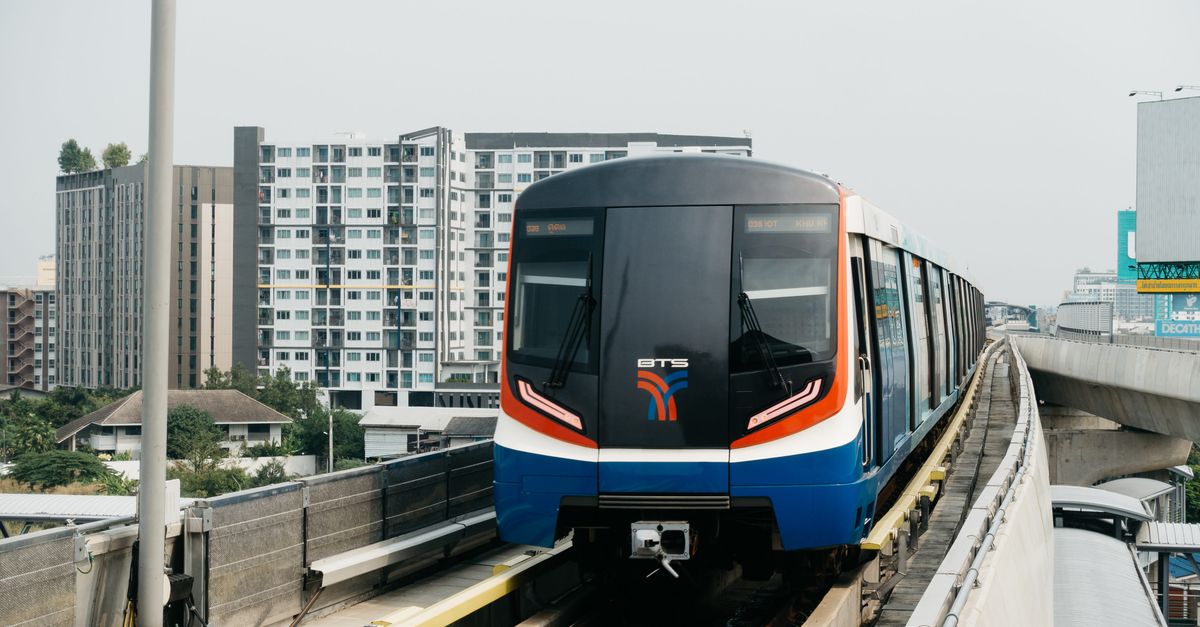
Bangkok and Chiang Mai have been on the remote-work map for years, and many people do both on one trip: a week or two of big-city energy along the Skytrain, then the slower rhythm of the north, with mountains on the horizon and a café scene that keeps people coming back. For crypto travellers the practical questions are the same in both cities: how to be online from the moment you land, where to base yourself, and how to keep wallet and exchange apps safe on guesthouse and café Wi-Fi.
One eSIM, two cities
You don't need a separate plan for each city. A Thailand plan covers the country, so the same eSIM travels with you from Bangkok to Chiang Mai and everywhere the network reaches in between. A few decisions are worth making before you pay:
- Length of stay. Validity starts when the eSIM first connects in Thailand, not on the day you buy it, so you can pay well ahead.
- Data needs. Video calls and large uploads use far more data than maps and messages. If you are unsure, start smaller; a top-up later adds data to the same eSIM.
- Your payment coin. At checkout choose "Pay with crypto", then pick the coin and network on the payment page so they match exactly what you will send from. The page shows the address, a QR code and the exact amount. Send it within 1 hour, with the network fee on top.
After the payment is confirmed on the blockchain, the eSIM arrives by email and in your account and the app; install it over Wi-Fi before you go. If you expect to top up several times over a long stay, you can add crypto to your HelloSIM wallet balance with the same "Pay with crypto" option, from €1.00, and pay for top-ups from that balance.
Get your Thailand eSIM in 30 seconds
Instant delivery, 4G/5G speeds, no roaming bills.
Landing in Bangkok
International flights arrive at Suvarnabhumi (BKK) and Don Mueang (DMK), the second of which handles many low-cost and regional routes. After landing at either, enable the HelloSIM line and select it for mobile data, then switch on Data Roaming for that line only. Because the data is prepaid, there is nothing extra to pay. The home SIM keeps receiving SMS; just make sure its data roaming is off.
From Suvarnabhumi, the Airport Rail Link runs into the city and connects with the Skytrain and the metro. From both airports, taxis and ride-hailing apps are available, and with data you can set your destination in the app instead of explaining it. Bangkok's traffic is famous, so for daily trips the BTS Skytrain and MRT are often the better choice.
Bangkok bases for working
- Sukhumvit: the long road with the BTS line above it, taking in Asok, Phrom Phong, Thong Lo and Ekkamai. Condos, serviced apartments, cafés and coworking spaces make it the default for many longer-stay visitors.
- Silom and Sathorn: the business district, good for meetings and rooftop views, with BTS and MRT stations close by.
- Ari: a residential neighbourhood north of the centre, known for its cafés and quieter than Sukhumvit.
- Riverside and the old town: temples, the Chao Phraya and river boats; better for sightseeing than for daily work.
In Bangkok, living within walking distance of a BTS or MRT station often matters more than the apartment itself.
Chiang Mai: Nimman, the Old City and the hills
Chiang Mai is smaller and easier going, and most remote workers settle in one of a few areas:
- Nimmanhaemin (Nimman): the café and coworking heart of the city, near Chiang Mai University, with Doi Suthep rising behind it.
- The Old City: inside the moat, with temples on almost every street and guesthouses of every kind.
- Santitham: more local and residential, a short ride from both the Old City and Nimman.
Getting around is mostly by ride-hailing app or songthaew, the shared red trucks. Between the two cities there are domestic flights, overnight trains and long-distance buses, and your eSIM keeps you online along the way wherever there is signal.
One seasonal note: late in the dry season, northern Thailand often has hazy, smoky air from agricultural burning, and many people work indoors more during that stretch. An air-quality app helps you plan outdoor days, which is one more reason to keep data running.
Cafés, coworking and a backup connection
Both cities have a deep café culture, and laptops are an everyday sight. Coworking spaces with day and monthly passes are easy to find in Sukhumvit and around Nimman. Café Wi-Fi quality varies, though, and storms in the rainy season can take out power or a connection for a while. Mobile data on your phone is the backup that keeps you on a call when that happens.
Keeping crypto apps safe on the road
Guesthouses, hostels and coworking spaces share their Wi-Fi with a lot of people you will never meet. Treat that network as public:
- Use your HelloSIM mobile data, never the guesthouse network, whenever you open a wallet or exchange app.
- Don't follow links in messages, emails or chat groups that claim to come from your exchange or wallet; open the app directly instead.
- Charge from your own adapter at a wall socket rather than from unknown USB ports.
- Keep your recovery phrase written down offline, never photographed and never in a notes app.
- Keep your home SIM in the phone for SMS codes, and set up an authenticator app and backup codes before you leave.
For any crypto activity in Thailand beyond the eSIM purchase, check local rules before you start.
Staying reachable, and the next stop
The eSIM is data-only, so you won't have a Thai number. LINE is widely used in Thailand alongside WhatsApp, so it is worth installing both if you will deal with landlords, drivers or local contacts, and app calls run over your data. Your home number keeps receiving texts; ask your carrier whether it charges for that abroad.
If Thailand is one leg of a longer route through Vietnam, Malaysia or further afield, the Asia Pacific regional plan covers several countries on one eSIM. Look through its country list before you buy so every stop is included.
Get your Asia Pacific eSIM in 30 seconds
Instant delivery, 4G/5G speeds, no roaming bills.