
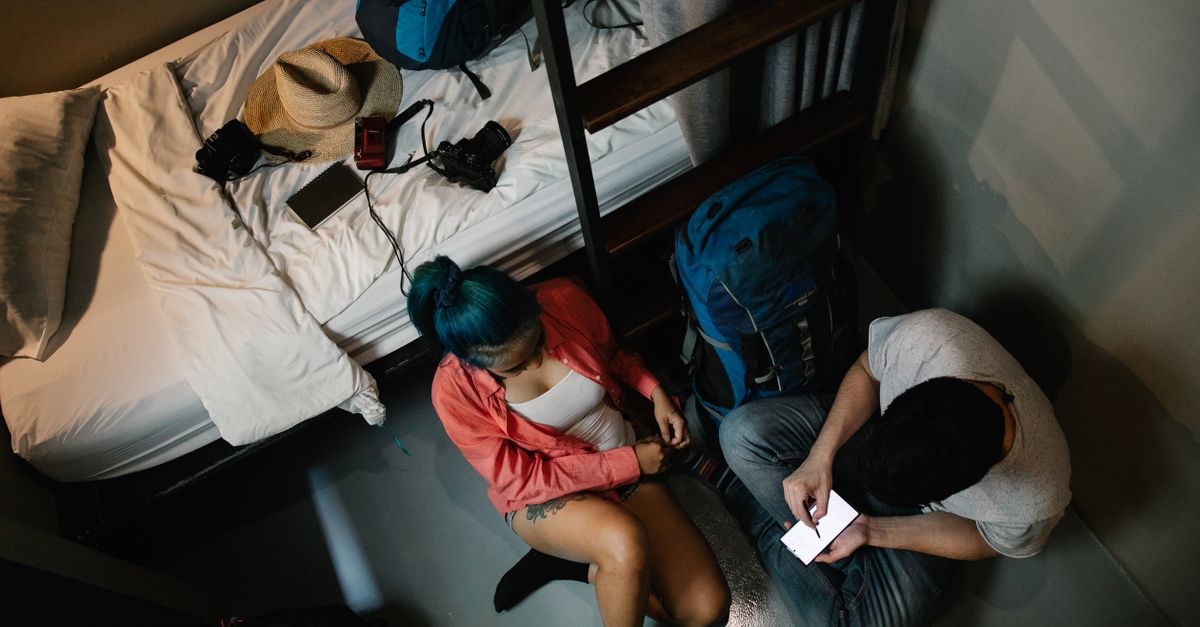
Backpacking routes rarely stay inside one border. A month that starts in one country often ends three or four countries later, with night buses, ferries and hostel dorms in between. If you already pay for things with crypto, a HelloSIM eSIM fits that kind of trip: you buy it with "Pay with crypto", install it before you leave, and top it up from the road when the data runs low, without hunting for a SIM shop at every border.
This guide is for the multi-country, light-luggage traveller. It covers which plan type suits a long route, how to top up with crypto when you are already on the move, and the wallet habits that matter when you sleep in a room with strangers.
Pick the plan around your route, not your first stop
Start with a rough route: the countries you are fairly sure about and the ones that are still a "maybe". Then compare the three plan types HelloSIM sells.
- Country plans suit a long stay in one place, such as a month in one country before you move on.
- Regional plans cover several countries with one eSIM. HelloSIM has regional plans for Europe, the Balkans, North America, Asia Pacific, Latin America, the Caribbean, Africa, the Caucasus and Oceania.
- The Global plan is for routes that cross regions, for example a few weeks in one part of the world followed by a flight to another.
Before you pay, open the plan page and read the list of included countries; do not assume a country is included because it looks close on the map. If a "maybe" country is missing, that is your cue to compare the Global plan or to plan a separate eSIM for that leg.
Validity starts when the eSIM first connects at your destination, not on the day you pay. That suits backpackers who book loosely: you can buy and install the eSIM at home, and the clock only starts once you land somewhere the plan covers. Travelling as a pair or a group? Each eSIM is for one phone, so every traveller needs their own.
Get your Asia Pacific eSIM in 30 seconds
Instant delivery, 4G/5G speeds, no roaming bills.
Paying for a long trip with crypto
The payment works like any HelloSIM crypto order. Choose the plan, enter your email, select "Pay with crypto" at checkout and pick the coin and network on the payment page. You then see an address, a QR code and the exact amount to send.
Three details deserve extra attention on a backpacking budget:
- 1Send from a coin and network you have used before. A long trip is not the moment to try a new chain. If your USDT sits on TRON or Solana, for example, choose that same network on the payment page and send on it.
- 2Account for the exchange fee. If you pay from an exchange that subtracts its withdrawal fee from the amount you type, set the amount so that the exact sum arrives.
- 3Keep the order email handy. The QR code arrives by email after the payment is confirmed on the blockchain, and it also appears in your account and in the app. Install it over Wi-Fi at home, where you have time and a connection you trust.
Network fees are paid by the sender on top of the amount shown, and crypto payments cannot be reversed, so check the coin, network and amount once more before you send.
Topping up with crypto when you are already on the road
Long trips eat data in ways you do not plan for: offline maps that need refreshing, ride-hailing apps, booking the next hostel late at night, video calls home. Top-ups add data to the same eSIM, so there is nothing new to install, and you can pay for them with "Pay with crypto" as well.
The habits that keep this smooth on the move:
- Top up before you hit zero. Do it while the eSIM still has some data left, so you can pay from your wallet app over mobile data instead of relying on a bus station or hostel network.
- Give yourself breathing room. A payment request stays open for 1 hour. Start a top-up when you can finish it, not in the last stretch before boarding a ferry.
- Keep a little gas token. If you pay with stablecoins from your own wallet, you need a small amount of the network's own coin for the fee, such as TRX on TRON or SOL on Solana. Running out of it in a remote town is a common way to get stuck.
- Watch your usage. Your phone's mobile data settings show how much each line has used, which helps you top up in good time.
You can also add crypto to your HelloSIM wallet balance before leaving and pay top-ups from that balance later.
Get your Balkans eSIM in 30 seconds
Instant delivery, 4G/5G speeds, no roaming bills.
Wallet safety in hostels and shared dorms
Hostels are friendly places, and that is part of the risk. You share rooms, sockets, tables and Wi-Fi with people you met an hour ago. A few habits keep your crypto out of the picture.
- Carry a spending wallet, not your savings. Keep only what you expect to spend on the trip in the wallet on your phone. Savings can stay in a separate wallet that you do not open while travelling.
- Never pack the recovery phrase next to your phone. If both are stolen together, the thief has everything. Keep the backup somewhere separate and secure.
- Lock the phone and the wallet app. Use a strong screen lock and turn on the app's own passcode or biometric lock if it has one. A phone left charging on a bunk is easy to pick up.
- Watch the screen in common areas. Balances and addresses are easy to read over a shoulder at a shared table. Check them in private.
- Skip the shared computers. Never sign in to an exchange or wallet on a hostel PC or a travel agency terminal.
- Keep quiet about holdings. Chatting about crypto is fine; telling a dorm how much you hold is not.
Your eSIM helps here too. Because you have your own mobile data, you can do wallet and exchange tasks without joining the hostel network that everyone in the building shares.
Staying reachable with a data-only eSIM
HelloSIM eSIMs are data-only: there is no phone number on them. You call and message through apps such as WhatsApp, FaceTime or Telegram. Your home SIM stays in the phone for calls and SMS, which matters for bank or exchange codes sent by text.
When you arrive, switch the HelloSIM line on, choose it for mobile data and turn on Data Roaming for that line. There is no extra cost because the data is prepaid. Turn data roaming off on your home line so it does not use data abroad. You get 4G/LTE everywhere HelloSIM sells, with 5G where the plan lists it.
A short pre-departure list for backpackers
- A phone that supports eSIM and is carrier-unlocked
- Your route written down and checked against the plan's country list
- The eSIM installed over Wi-Fi before you leave
- A spending wallet with a supported coin on a supported network, plus a little gas token
- HelloSIM support saved: WhatsApp and [email protected], answered within 24 hours
If a payment goes wrong, such as a wrong network or a short amount, contact support with your order email, the coin, the network and the transaction hash (TXID). Recovery of a wrong-network or wrong-coin payment cannot be promised, so the extra check before sending matters.
Get your Global eSIM in 30 seconds
Instant delivery, 4G/5G speeds, no roaming bills.