
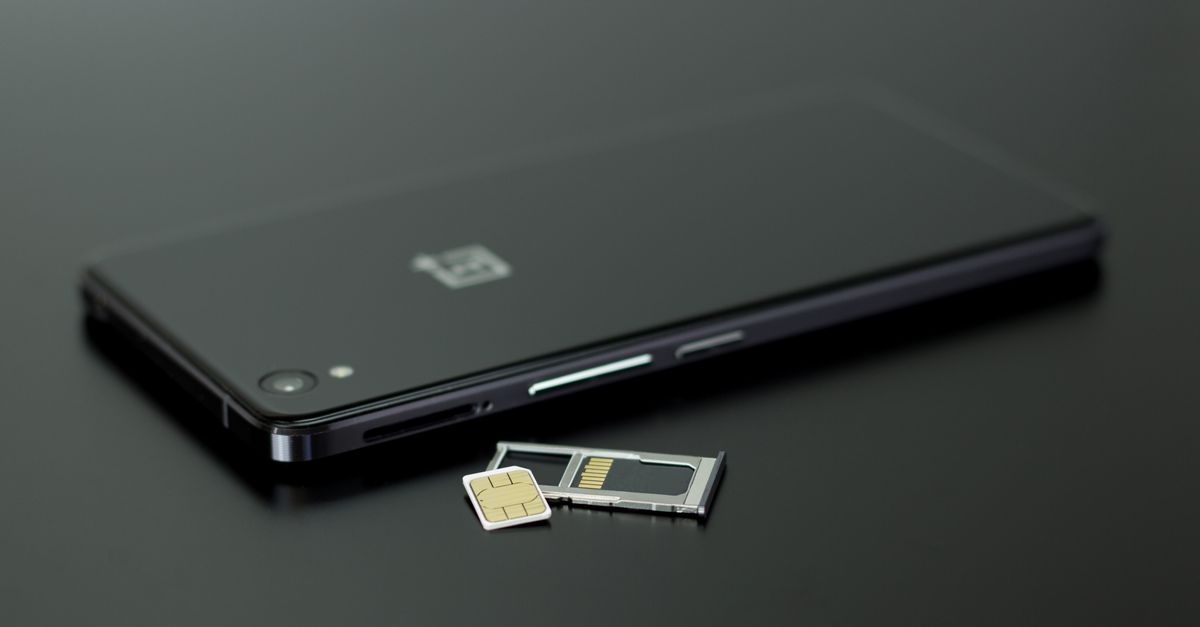
Internet SIM card and internet eSIM dey for di same reason: to give you mobile data for kontri where your own plan cost well well or e no dey work at all. Once dem connect, dem dey behave almost di same way. Your apps no fit know di difference, and di local networks wey you go use na di same kain, anyone wey you choose.
Where dem different na evritin wey surround dat connection: how you go take get one, how you go put am, wetin go happen to your own number, and wetin fit go wrong for road. Na dose differences go decide which one fit your trip.
Same work, different form
Data SIM card na physical chip inside plastic wey you go push enta your phone SIM tray. Data eSIM na digital profile wey you go download enta chip wey dem don already build inside di phone. Di two dey carry di same kain credentials and di two dey connect to mobile networks on 4G or, where e dey, 5G.
So di real comparison na practical matter, no be technical. See how di two take compare for di tins wey pipo wey dey travel dey really face.
Get your Spain eSIM for 30 seconds
Sharp-sharp delivery, 4G/5G speed, no roaming bill.
How to buy and receive am
Physical internet SIM must reach you somehow. Dat mean say you go order am make dem post am before you travel, collect am for shop, or buy one afta you land from airport kiosk or phone shop for town. Depending on di kontri, to buy local SIM fit also mean say you go show your passport or register your details, and di process fit take time if di staff dey speak language wey you no understand.
eSIM dey come digitally. Wit HelloSIM, you go pick kontri, regional or Global plan, pay, and dem go email you your QR code sharp sharp, wit copy wey dem keep inside your HelloSIM account and app. You no even need account; guest checkout dey only ask for email. No postage to wait for and notin to go collect.
Dat difference matter pass for last-minute trips. If you dey fly tomorrow, SIM wey dem post fit no reach in time, but you fit buy and install eSIM tonight.
Change, keep and lose di card
Physical SIM mean small ritual for every trip: find di ejector pin, comot di tray, remove your own SIM, put di travel SIM and keep your home SIM for safe place. Then do am back when you return house.
Na dat last part tins dey spoil. Nano SIM small die, and e dey easy to loss am for hotel room, drop am for train floor or forget am for jacket pocket wey go enta washing machine. If you lose your home SIM abroad, you fit lose access to your number until you fit get replacement.
eSIM go remove di whole ritual. You go install am once for Settings, wit either di QR code or di SM-DP+ address and activation code from your email, and your home SIM no go ever comot from im slot. Di eSIM itself dey embedded, so notin dey wey fit fall or miss.
How to keep your own number
Dis one na often wetin dey decide am. If your phone get only one physical SIM slot, to put travel SIM mean say you go comot your own SIM. While e dey outside, you no go receive calls or texts on your usual number, including di one-time codes wey plenti banks and apps dey send by SMS.
Wit eSIM, di two lines fit work side by side. Your own SIM go stay for calls and texts, while di eSIM dey handle mobile data. HelloSIM eSIMs dey carry only data, so no local number and no normal calls or texts on dem, but voice and video calls dey work well well on internet apps like WhatsApp, FaceTime, Telegram or Viber. Your WhatsApp account go continue to use your usual number, so your contacts no go notice any change.
To make dat setup work smooth abroad, point mobile data to di eSIM line and allow roaming on am: e no go connect abroad if you no do am, and since di data na prepaid, roaming no go add anytin to di bill. Do di opposite for your home line, wit roaming off, so your normal network no go ever charge you for background data wey waka comot.
Phone compatibility
For here, physical SIM get real advantage: e dey work for any carrier-unlocked phone wey get SIM slot, no matter how old.
eSIM dey choose pass. Di handset must fit use eSIM and no carrier lock must dey on am. iPhones from XS and XR go up dey usually qualify, plus Google Pixel from Pixel 3 go up, recent Samsung Galaxy S and Z phones and plenti of di A series. If Settings get "Add eSIM" option, you dey good to go. One exception dey catch pipo: plenti iPhones wey dem sell for mainland China, Hong Kong and Macao dey take two physical SIM cards and dem no get eSIM at all.
Portability na di oda difference. You fit move physical SIM from one device to anoda, but each eSIM dey install for only one phone.
Which one fit who
No option dey correct for evribodi. As rough guide:
- Choose eSIM if your phone support am and you want keep your own number active, travel wit short notice, prefer to arrange evritin for house before you comot, or you just no want handle small small cards.
- Choose physical data SIM if your phone no support eSIM, or if you want move di same SIM between plenti devices during your trip.
- Anyone fit work for long stay, but eSIM go save you from leaving your home SIM loose inside drawer for months.
How to switch to eSIM
If na your first time to try eSIM, do am for house, few days before you fly:
- 1Confirm say your phone support eSIM and e dey unlocked.
- 2Buy di plan for where you dey go and open di QR code email.
- 3Install am on Wi-Fi through Settings → Mobile Data (or Cellular) → Add eSIM for iPhone, or Settings → Network & internet / Connections → SIMs / SIM manager → Add eSIM for Android.
- 4When you land, on di eSIM line, set am for mobile data and on roaming for am.
To install few days early dey fine, becos di plan days no go start until e connect for where you dey go. If you need more data for middle of di trip, top up di same eSIM instead of to buy new one.
Get your Latin America eSIM for 30 seconds
Sharp-sharp delivery, 4G/5G speed, no roaming bill.