
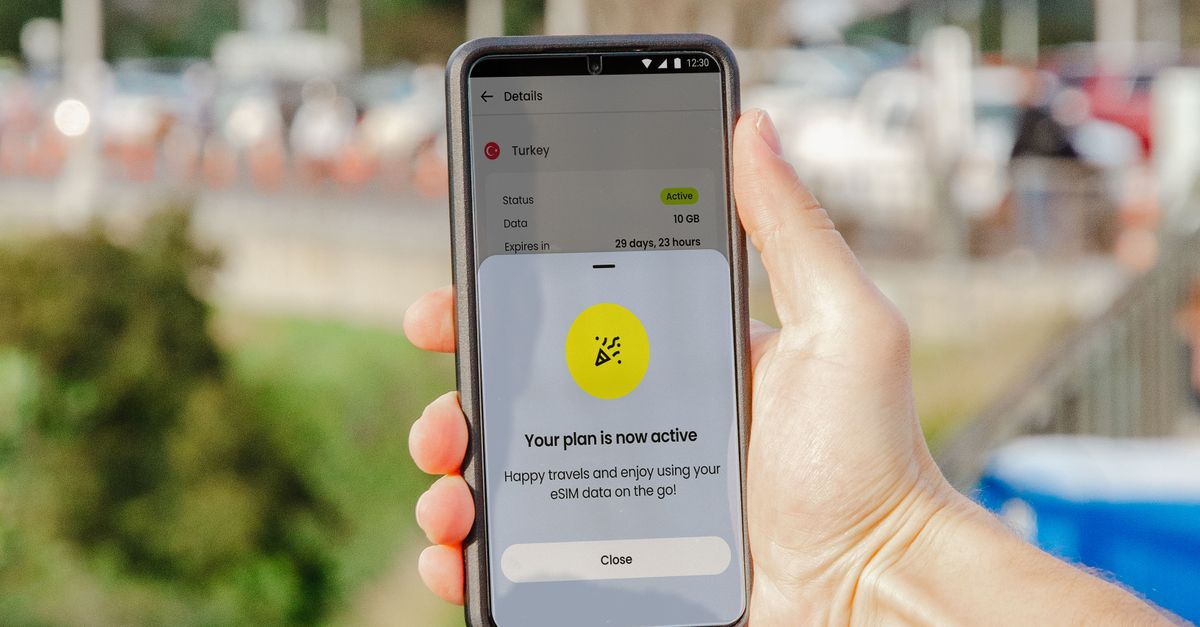
If you don ever use paper clip take fight SIM tray for airport arrival hall, di idea behind eSIM go make sense to you sharp sharp. eSIM dey do di same work wey dat small plastic card dey do — e dey tell mobile network who you be and wetin you fit use — but no card dey wey you go put inside. You go download di SIM enta your phone.
Dis guide go explain wetin eSIM really be, how e take different from di SIM card wey you don sabi, why plenti pipo wey dey travel dey use am now for mobile data abroad, and di few tins wey must dey in place before e go work for your phone.
Wetin "eSIM" really mean
Di "e" mean embedded. Inside every phone wey fit use eSIM, one small chip dey wey dem fix for di main board. On im own, notin useful dey inside am. When you add eSIM, di phone go download one profile — secure package of credentials and settings wey dem issue for one mobile line — and e go keep am for dat chip.
Dat profile na wetin pipo mean when dem talk "eSIM". E dey do exactly di work wey physical SIM card dey do: e dey show di network which line be your own and e dey decide which service you go get. Di only real difference na how e take reach you: through internet, no be inside envelope or across shop counter.
Some oda words wey you go see:
- eSIM card: plenti pipo dey search am like dis, but e fit confuse you small. No card dey wey you go buy or hold; di chip don already dey inside di phone.
- eSIM profile: di line wey you go download itself. Phone fit usually keep plenti profiles and you fit switch between dem for Settings.
- QR code: di normal way wey dem dey take deliver profile. When you scan am, e go tell your phone where e go collect di profile from.
Get your Europe eSIM for 30 seconds
Sharp-sharp delivery, 4G/5G speed, no roaming bill.
eSIM vs physical SIM card
For di work wey dem dey do, di two na di same, but for everyday life dem dey behave different well well.
- How you go get am: physical SIM, dem must post am give you or you go buy am by yourself for shop. eSIM, you fit buy am online and e go come as QR code.
- Switching: to change plastic SIM mean say you go comot di tray and keep eye on card wey no big pass your fingernail. To switch between eSIM lines na just one option for menu.
- Keeping your number: if your phone get only one SIM slot, to put travel SIM mean say you go comot your own. Wit eSIM, your normal SIM go stay where e dey and di two lines fit work togeda.
- Loss and damage: chip wey dem fix inside no fit fall comot, e no fit loss for hotel room, and nobody fit pull am comot from phone wey dem tiff take am use.
Wetin no dey change na di network side. Your phone dey connect to di same kain mobile network, wit di same 4G or 5G technology, no matter which form di SIM take.
Why pipo wey dey travel dey use eSIM
For travel, di biggest advantage of eSIM na timing. You fit buy and install data plan for house, some days before you fly, and just on am when you land. No need to queue for airport kiosk, no need to dey find phone shop for place wey you no understand dia language, and you no go depend on airport Wi-Fi wey dey cut-cut before you fit book ride.
Di second advantage be say your own number go still dey inside di phone. Most travel eSIM, including HelloSIM own, na data-only: dem dey give you mobile internet abroad while your normal SIM dey stay for calls and texts. WhatsApp and oda apps like am go continue to use your normal number, becos dem just dey run on top any line wey dey give data.
Di third one na say you go fit control your moni. If you use your home network data abroad, dem dey often charge you per day or per megabyte, and dat kain charge fit pile up quick quick, so check your current tariff before you travel. Prepaid travel eSIM get fixed allowance wey you go pay for once, from di start.
How to buy and install eSIM
Di process dey similar anywhere wey you buy. For HelloSIM, e be like dis:
- 1Choose plan for where you dey go — one kontri, one region like Europe or Asia Pacific, or di Global plan — based on how much data and how many days you need.
- 2Pay for checkout. You fit buy as guest wit only your email address; account no dey compulsory.
- 3Dem go send di QR code to your email sharp sharp, and e go also dey inside your HelloSIM account and app.
- 4For house, on Wi-Fi, install am. For iPhone, go Settings → Mobile Data (Cellular for some regions) → Add eSIM and scan di code. For Android, check under Settings → Network & internet or Connections → SIMs or SIM manager → Add eSIM; di wording dey change from brand to brand.
- 5When you land, on di eSIM line, choose am for mobile data and on Data Roaming for dat line.
Two tins dey catch pipo. First, di plan validity dey start when di eSIM first connect to network for where you dey go, no be when you buy am, so to install am early no go cost you anytin. Second, roaming must dey on for di eSIM line before e fit connect abroad, and e no get extra cost becos di data don already pay. Your home line na di opposite: off im data roaming so dat e no go dey chop moni for background.
If you no fit scan di QR code, di same email get SM-DP+ address and activation code wey you fit use install di eSIM by hand.
Get your United States eSIM for 30 seconds
Sharp-sharp delivery, 4G/5G speed, no roaming bill.
Wetin your phone need
eSIM go only useful if your phone fit carry am, and two conditions must dey true togeda.
Di phone must support eSIM. Typical examples na iPhone XS and XR go up, Google Pixel 3 go up, and recent Samsung Galaxy S and Z models plus plenti A models. Di quickest way to check na to look inside Settings for "Add eSIM" option. Make you know say plenti iPhone wey dem sell for mainland China, Hong Kong and Macao get two physical SIM slots instead of eSIM.
Di phone must dey carrier-unlocked. Phone wey dem lock to your home network go refuse line from any oda network, eSIM or not. If your phone come wit contract, ask your network if dem don unlock am before you buy travel plan.
Di limits wey you suppose know
eSIM sabi work well, but some practical limits dey.
- One phone for one eSIM. Dem dey install profile for only one device, so buy one for each phone if plenti pipo dey travel togeda.
- No local number for data-only plans. You no fit make normal calls or send SMS wit data-only eSIM. Use internet calling apps instead, and keep your own SIM active for texts like bank codes.
- Coverage dey follow di networks. Every HelloSIM destination get 4G/LTE, but 5G depend on di destination: you go get am where di local networks wey dey dat destination list get 5G label and your handset fit use am.
- No delete am for middle of your trip. If you remove di profile for Settings, di line don go be dat. If sometin no dey work, try di normal checks or contact support first.
If you hook anywhere, HelloSIM support dey for email at [email protected], dem dey reply within 24 hours, and also through di live chat inside di HelloSIM app.
Get your Global eSIM for 30 seconds
Sharp-sharp delivery, 4G/5G speed, no roaming bill.