
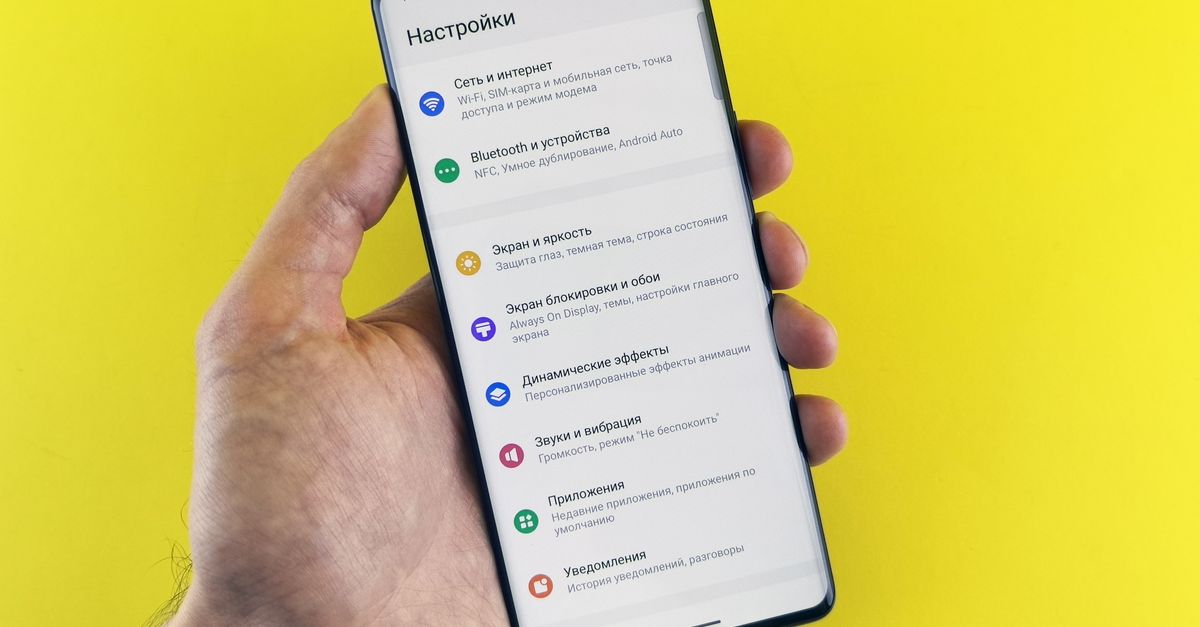
Android dey give phone makers freedom to design dia own settings menus, and dat one good for choice but e no too sweet when you dey find di eSIM option. Google Pixel phones dey keep tins close to standard Android, so dis guide go start from dia and then show you how to find di same settings for oda Android brands.
Any phone wey you get, di plan na di same: install di eSIM for house on Wi-Fi, keep your own SIM for calls and texts, and move your data go di eSIM when you land.
Before you start
- eSIM support: Google Pixel 3 and newer models dey support eSIM, plus plenti oda recent Android phones. Di surest test na if your SIM settings get option to add or download eSIM.
- Carrier unlock: di phone must accept SIMs from oda providers. If na network give you di phone, check wit dem.
- Software updates: install any system update wey dey wait first, so di menus go match well pass.
- Wi-Fi and di QR code: di eSIM dey download through internet, and di camera no fit scan di phone own screen. Open di QR code for anoda device or print am.
Dem dey email your HelloSIM QR code sharp sharp afta payment and e also dey inside your HelloSIM account, so you fit open am for laptop anytime wey you ready.
Google Pixel: add di eSIM step by step
- 1Open Settings → Network & internet → SIMs.
- 2Tap Add SIM (e dey show as plus sign or Add eSIM for some versions).
- 3If di phone ask whether you want download SIM instead, confirm and tap Next.
- 4Scan di QR code when di camera open and hold am steady until e read am.
- 5Confirm di download and wait make e finish, and stay on Wi-Fi.
- 6When e finish, di new SIM go show for di SIMs list. Tap am and give am name wey you go recognise, like "Travel".
No QR scanner dey near?
For di scanning screen, look for link like Need help? wey go carry you go option to type di code by hand. You go need di SM-DP+ address and activation code from your HelloSIM email. If your phone show only one box, e dey usually want di two details join for di standard format: LPA:1$, di SM-DP+ address, $ sign, then di activation code. To paste dey avoid di typing mistakes wey dey usually spoil manual install.
Get your Italy eSIM for 30 seconds
Sharp-sharp delivery, 4G/5G speed, no roaming bill.
Oda Android phones: where to look
Most Android brands dey put di eSIM option somewhere inside dia mobile network settings, but di menu names dey different. You fit see words like:
- Connections → SIM manager
- Mobile network → SIM cards or SIM cards & mobile networks
- Dual SIM & mobile network
- Mobile network → eSIM or Manage eSIM
Di fastest way for any Android phone na di search bar for di top of Settings. Type "eSIM" first, then "SIM" if notin show. Once you find di correct screen, di steps na di same as for Pixel: add eSIM, scan di code or type am by hand, then confirm di download.
If none of dis menus get eSIM option, your phone, or dat particular regional version, probably no support eSIM.
Set data, calls and texts preferences
HelloSIM eSIM na data-only, so see di setup as two jobs: your home SIM go keep your number for calls and texts, and di eSIM go provide data.
For Pixel, go Settings → Network & internet → SIMs:
- Set Calls preference and SMS preference to your home SIM.
- Keep Mobile data on your home SIM for now, while you still dey house.
- If your phone get option to switch mobile data automatically between SIMs, off am, so e no fit fall back to your home SIM data abroad.
Oda Android phones get di same choices, often under labels like preferred SIM, default SIM or data SIM.
Until you travel, you fit off di eSIM line for im settings. If e show "No service" for house, dat one normal.
When you land: switch data and roaming
As you land:
- 1Open Settings → Network & internet → SIMs and on di HelloSIM line.
- 2Tap di HelloSIM line and on Mobile data. When e ask, confirm say you want use am for data.
- 3For di same screen, on Roaming. Di eSIM need am to connect to local networks, and e no dey cost anytin extra becos di data na prepaid.
- 4Go back, tap your home SIM and make sure say Roaming dey off.
- 5Give di phone small time to register on local network.
Validity dey start di first time wey di eSIM connect to network for where you dey go. Until then, nobody go touch di days wey you pay for.
Tips and fixes for connection wey no gree work
- On and off Airplane mode from quick settings na di fastest reset.
- Check di three settings again: eSIM line on, mobile data on dat line, roaming on dat line.
- Restart di phone if di first two steps no help.
- Pick network by hand: for di eSIM settings, off automatic network selection and choose one of di networks wey dem list for your destination.
- Access point names (APN): dem dey normally fill by demself. Change dem only if support send you specific values.
- 4G or 5G: 4G/LTE dey anywhere wey HelloSIM dey sell. 5G dey show only where di networks wey dem list for your destination get 5G mark and your phone support am, so to see 4G no be fault.
- No delete di eSIM while you dey troubleshoot. Email [email protected] instead; dem dey answer emails within 24 hours.
When you need more data, top up di same eSIM from di Check / Top up page or your HelloSIM account, without to reinstall. You dey tour plenti kontris, say across Latin America? Regional plan go keep di whole route on one eSIM.
Get your Latin America eSIM for 30 seconds
Sharp-sharp delivery, 4G/5G speed, no roaming bill.