
The short answer for Bangkok
Install a HelloSIM Thailand eSIM at home over Wi-Fi, switch it on when your plane lands at Suvarnabhumi or Don Mueang, and you can book a ride, open your map and message your hotel without looking for a SIM counter or fighting with airport Wi-Fi.
The Thailand plan page lists AIS as the local network, marked 5G. You can use 5G where AIS has 5G coverage and your phone supports it.
The plan is data only. You don't get a Thai phone number, and your own SIM stays in the phone for calls and texts. Using your home SIM for data in Thailand can be expensive — check your current tariff before you rely on it.
Get your Thailand eSIM in 30 seconds
Instant delivery, 4G/5G speeds, no roaming bills.
Why Bangkok runs on mobile data
Bangkok is a city you move through with your phone in your hand. Most of the small daily jobs, from getting a car to reading a menu, are quicker with a working data connection.
Ride-hailing and food delivery
Grab and Bolt are the apps most visitors use to get a car or motorbike taxi. You set the pickup point, see the driver on the map and chat with them in the app. After the trains stop for the night, these apps are often the simplest way back to your hotel. The same goes for food delivery when you arrive late and the street stalls have closed.
Maps in a large, layered city
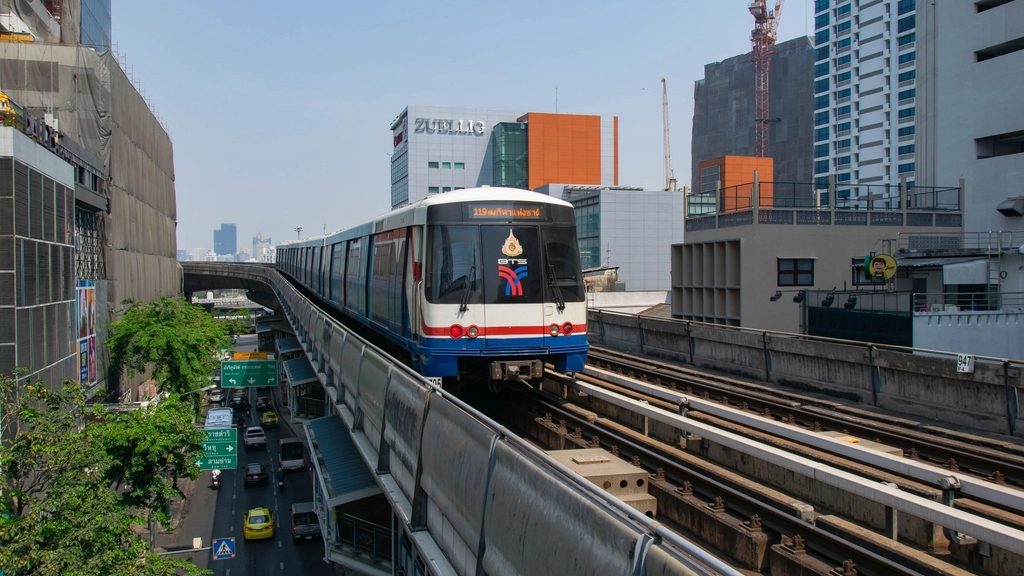
Bangkok has several rail lines, river piers and long sois (side streets) that can look alike after dark. A live map shows you which exit to take at a Skytrain station, which pier your boat stops at, and how far the walk really is in the heat.
QR codes everywhere
You'll see QR codes on restaurant tables, shop counters, ticket desks and market stalls. Some open a menu, others are for payment. Whether you can pay by scanning depends on your own bank or wallet app, so carry some cash as well. Either way, you need data to use them.
Translation on the spot
A translation app with a camera mode reads a Thai menu or sign and shows it in your language. Voice translation helps when you explain an address to a driver. Many hotels, tour operators and shops in Thailand answer questions through the LINE messaging app, so it's worth installing before you go.
Landing at Suvarnabhumi (BKK)
Suvarnabhumi is Bangkok's main international airport. Once you're on the ground, do this before you head to immigration:
- 1Turn on the HelloSIM line in your phone's settings.
- 2Choose it as the line for mobile data.
- 3Turn on Data Roaming for the HelloSIM line only. There is no extra cost, because the data is prepaid.
- 4Keep Data Roaming off on your home line, so your home carrier can't add roaming charges.
From the terminal, the Airport Rail Link runs into the city. Phaya Thai is the stop for changing to the BTS Skytrain, and Makkasan connects by walkway to Phetchaburi station on the MRT. If you'd rather go by car, the ride-hailing apps guide you to the airport's pickup points.
Landing at Don Mueang (DMK)
Don Mueang handles many domestic and regional flights. The setup on your phone is exactly the same as at Suvarnabhumi.
The SRT Red Line connects the airport with Krung Thep Aphiwat Central Terminal, where you can change to the MRT Blue Line. When you head back to the airport, trains are signed with their final stop rather than Don Mueang, so check the direction in your map app.
Getting around the city with your phone
BTS Skytrain and MRT
The Skytrain and the underground MRT cover many of the areas visitors spend the most time in, including Sukhumvit, Silom and Siam. Your map app plans the transfers for you and can show timetables, which helps if you're out for the evening and need to catch the last train.
River boats on the Chao Phraya
The Chao Phraya Express Boat stops at piers along the river, and boats fly coloured flags that show which piers they serve. Tha Tien pier is close to Wat Pho, and a short cross-river ferry takes you over to Wat Arun. Flag services and timetables change, so check the pier signs and a live map before you board.
Temples and markets
The Grand Palace and Wat Pho sit close together in the old town, with Wat Arun just across the river. A map keeps you from walking in circles between them. Chatuchak Weekend Market is huge and easy to get lost in. Drop a pin at the entrance you came in by, and share your live location with friends over WhatsApp if your group splits up.
How much data you need in Bangkok
Maps, ride-hailing and messaging use little data. A light user can manage with about 1 GB a week. If you post photos and browse every day, plan for 3–5 GB a week. Video calls home, streaming in your room or working remotely can take 10 GB or more a week.
The Thailand page lists plans from 3 GB up to 50 GB, with validity from 7 to 365 days, plus unlimited options that come with a fair-usage policy.
Running low? Top up the same eSIM from the Check / Top up page on the HelloSIM website, from your account or in the HelloSIM iPhone app, with no need to reinstall it.
Heading on to the islands or Chiang Mai
Bangkok is often the first stop rather than the only one. Long-distance trains to Chiang Mai leave from Krung Thep Aphiwat Central Terminal, and both airports have flights south to the islands and to the north. Your Thailand eSIM keeps working as you travel, wherever AIS has coverage.
If your trip continues into Cambodia, Laos, Vietnam, Malaysia or Singapore, the Asia Pacific plan covers more than 30 countries, Thailand included, on one eSIM.
Going further? HelloSIM has country plans for 170+ countries, and a Global plan covers 145 countries on one eSIM.
Get your Asia Pacific eSIM in 30 seconds
Instant delivery, 4G/5G speeds, no roaming bills.
Before you fly: a quick checklist
- 1Check that your phone supports eSIM and is carrier-unlocked. Look for "Add eSIM" in Settings, or dial *#06# and look for an EID number.
- 2Buy your plan. The QR code is delivered by email straight away and also appears in your HelloSIM account and the iPhone app.
- 3Install the eSIM at home over Wi-Fi. Don't delete it while you still need it, because a deleted eSIM usually can't be reinstalled.
- 4Don't worry about timing: the eSIM connects once you arrive, and validity starts at that first connection, not on the day you buy.
- 5On landing, switch the HelloSIM line on, set it for mobile data and turn on Data Roaming for that line only.
- 6Keep your usual SIM for calls and texts. WhatsApp stays on your usual number, so your chats carry on as normal.
With that done, your first ride from the airport is only a few taps away.
Get your Thailand eSIM in 30 seconds
Instant delivery, 4G/5G speeds, no roaming bills.