Land in Tashkent already connected. Here's how an eSIM keeps you online across Uzbekistan with fast 4G/5G and zero roaming bills.
Stepping off the plane in Tashkent with a live data connection means you can grab a Yandex taxi, message home and pull up your hotel address before you even reach the exit. An eSIM makes that possible the moment you land.
Why use an eSIM in Uzbekistan
Buying a local SIM in Uzbekistan can mean queues, passport registration and a language barrier at the counter. An eSIM skips all of that. You install it before you fly, activate it on arrival, and keep your regular number active for calls and bank codes.
Uzbekistan has solid mobile coverage from three main operators: Beeline, Ucell and Mobiuz. You'll get reliable 4G/LTE across cities and main roads, with 5G expanding in larger urban areas.
Tashkent - strong 4G and growing 5G
Samarkand - good 4G across the old town and stations
Bukhara - solid coverage around the historic centre
Our eSIM connects to the strongest available local network automatically.
How to get connected
1. Buy your Uzbekistan eSIM and check your phone supports eSIM
2. Install the eSIM using the QR code we email you
3. Land, turn on data roaming for the eSIM line, and you're online
How much data do you need
Light (maps, chat, email): 1-3 GB for a short trip
Average (browsing, social, some video): 5-10 GB
Heavy (streaming, hotspot, lots of uploads): 15 GB or more
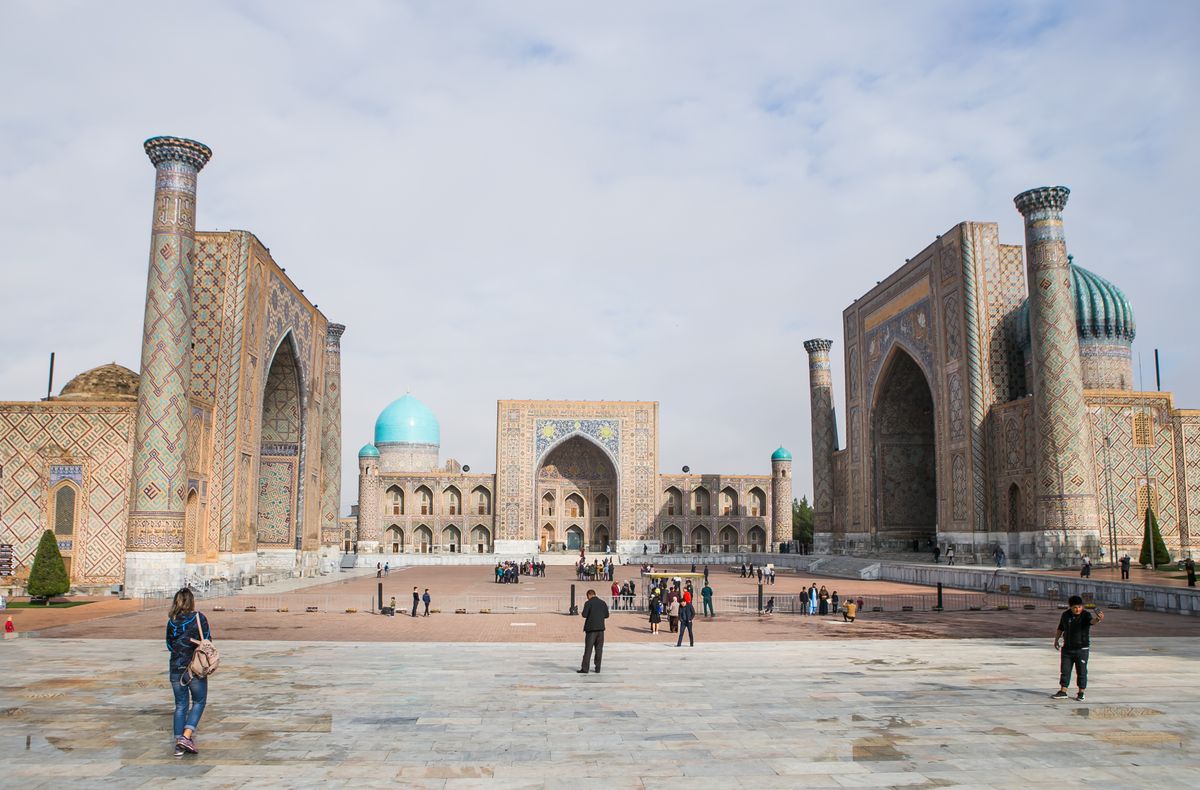
If you're posting photos of Registan Square daily, lean toward the higher tiers.
Good to know
Currency: Uzbekistani som (UZS)
Capital: Tashkent
Language: Uzbek (Russian widely spoken)
Time zone: UTC+5
Famous places: Registan in Samarkand, the old city of Bukhara, Khiva's walled Itchan Kala
Will my phone work with an eSIM?
Most phones from the last few years support eSIM, including recent iPhones, Google Pixels and Samsung Galaxy models. Check your settings for an "Add eSIM" option.
When should I install it?
Install before you travel while you have Wi-Fi. Set activation for your arrival date so your data starts the moment you land in Uzbekistan.
Can I keep my WhatsApp number?
Yes. Your WhatsApp stays tied to your existing number. The eSIM just provides data, so all your apps keep working as normal.
Frequently asked questions
Does an eSIM work in Uzbekistan?
Yes. Uzbekistan's main operators support eSIM roaming, so a HelloSIM eSIM connects to a local partner network on arrival, as long as your phone is eSIM-capable and carrier-unlocked.
Is my phone compatible with a HelloSIM eSIM for Uzbekistan?
Most devices from 2019 onward work, including iPhone XS and newer, Google Pixel 3 and later, and recent Samsung Galaxy S and Note models. Your phone must also be unlocked to use a HelloSIM eSIM in Uzbekistan.
How do I check my iPhone supports eSIM before travelling to Uzbekistan?
Open Settings, General, About and look for a Digital SIM or EID, or go to Settings, Cellular and check for Add eSIM. If those appear, your iPhone can run a HelloSIM eSIM for Uzbekistan.
Which networks does HelloSIM use in Uzbekistan?
HelloSIM connects through Uzbekistan's leading operators such as Ucell, Beeline, Mobiuz and Uzmobile. Your eSIM automatically latches onto the strongest available partner network wherever you are.
Do I need to register my phone's IMEI to use an eSIM in Uzbekistan?
Uzbekistan requires IMEI registration for phones used on local physical SIM cards long-term, but a HelloSIM eSIM operates as a roaming line through partner networks, so ordinary short-stay travelers avoid that hassle.
How do I buy and install a HelloSIM eSIM for Uzbekistan?
Purchase the Uzbekistan plan on the HelloSIM website or app and you receive a QR code by email. Scan it in your phone's eSIM settings and the profile installs in about a minute, before you fly.
How do I install the eSIM with the QR code?
On iPhone go to Settings, Cellular, Add eSIM, Use QR Code and scan the HelloSIM code. On Android open Settings, Network and internet, SIMs, Add eSIM and scan the same code to install.
Can I install the Uzbekistan eSIM without scanning a QR code?
Yes. HelloSIM also gives you manual details (an SM-DP+ address and activation code) that you can type into the Add eSIM screen if scanning is not convenient.
Should I activate my Uzbekistan eSIM before the flight or after landing?
Install it before you fly over Wi-Fi, but many HelloSIM plans begin their validity when the eSIM first connects to a network in Uzbekistan. Review your plan terms so travel days are not wasted.
Will my eSIM work as soon as I land at Tashkent airport?
Yes. With the eSIM installed and data roaming enabled for it, it connects automatically to a partner network at Tashkent International Airport, giving you data before you clear the arrivals hall.
Do I get 5G with a HelloSIM eSIM in Uzbekistan?
5G is emerging in parts of Tashkent and a few larger cities, and HelloSIM eSIMs can use it where available and your phone supports it. Most of the country runs on solid 4G/LTE.
How good is 4G coverage across Uzbekistan?
4G/LTE is widely available in Tashkent, Samarkand, Bukhara, Khiva and along major routes. Remote desert and mountain areas can drop to slower speeds, but populated regions are generally well covered.
How much data do I need for a week in Uzbekistan?
For a week of maps, messaging, social media and light browsing, 3 to 5 GB usually suffices. If you stream video or tether devices, plan for 8 to 10 GB or an unlimited-style option.
How much data should I get for two weeks touring Uzbekistan?
Two weeks of typical use tends to fit within 8 to 12 GB. Heavier users who stream or work online should choose a larger bundle or top up as they travel between cities.
What do eSIM data plans for Uzbekistan usually cost?
Pricing depends on data volume and validity, but short traveler plans generally sit in a modest single-to-low-double-digit dollar range. Check the HelloSIM Uzbekistan page for current rates rather than a fixed number.
How long are HelloSIM Uzbekistan plans valid?
Validity varies by plan, commonly from around 7 days up to 30 days. Choose a plan whose validity comfortably spans your whole itinerary so it does not lapse mid-trip.
Can I use my HelloSIM eSIM as a hotspot in Uzbekistan?
Yes. HelloSIM Uzbekistan plans support tethering, so you can share the connection with a laptop or travel companion. Hotspot usage draws from the same data allowance.
Can I keep my home number active while using the eSIM in Uzbekistan?
Yes. The eSIM works alongside your physical SIM in dual-SIM mode, so your home number stays reachable for calls and texts while the HelloSIM eSIM handles your data in Uzbekistan.
How do I avoid roaming charges from my home carrier in Uzbekistan?
Turn off data roaming on your home SIM and set the HelloSIM eSIM as your default data line. Your data then runs through HelloSIM and your home carrier will not bill you for roaming data.
Do I need to configure APN settings for my Uzbekistan eSIM?
Usually not, since HelloSIM sets the APN automatically. If data does not start, HelloSIM supplies the correct APN to enter manually in your cellular data settings for the eSIM.
I have signal but no internet in Uzbekistan. What should I check?
Make sure data roaming is on for the HelloSIM eSIM, that it is chosen as your data line, and that the APN is correct. Toggling airplane mode or rebooting usually restores the connection.
My Uzbekistan eSIM will not register on a network. What now?
Restart the phone, then manually select an operator such as Ucell or Beeline instead of automatic. If it still fails, confirm your phone is unlocked and the correct plan's eSIM was installed.
Can I top up my HelloSIM eSIM if I run low on data in Uzbekistan?
Yes. You can buy more data in the HelloSIM app or website without removing the eSIM. Top-ups apply to the same profile, so there is nothing to reinstall.
Does the eSIM include calls and SMS in Uzbekistan or is it data-only?
HelloSIM plans are mainly data-only. You can still call and message over the internet with WhatsApp, Telegram, FaceTime or Zoom, which is how most travelers stay in touch across Uzbekistan.
What is the emergency number in Uzbekistan?
Uzbekistan uses 112 as the unified emergency number, with 102 for police, 101 for fire and 103 for ambulance. Emergency calls work even on a data-only eSIM through your phone's dialer.
Can I use my Uzbekistan eSIM in nearby countries like Kazakhstan or Kyrgyzstan?
A single-country Uzbekistan plan covers only Uzbekistan. For a wider Central Asia trip, pick a HelloSIM regional plan or install a separate eSIM for each country you visit.
Is there a regional Central Asia eSIM that includes Uzbekistan?
HelloSIM offers regional plans that can bundle several countries. If your route spans neighboring nations, a regional eSIM may be more convenient than buying single-country plans one by one.
Will the eSIM work in Samarkand, Bukhara and Khiva?
Yes. These major tourist cities on the Silk Road have good 4G coverage on the main operators, so your HelloSIM eSIM will keep you connected for maps and sharing photos there.
What download speeds can I expect in Uzbekistan?
On 4G in cities you can generally expect a comfortable tens of megabits per second, and faster where 5G is live in Tashkent. Speeds ease off in remote areas but stay usable for essentials.
Do I need any ID or paperwork to use an eSIM in Uzbekistan?
No. Unlike buying a local physical SIM, a HelloSIM eSIM requires no in-country registration or documents. You buy it online and it connects on arrival with no bureaucracy.
Can I buy the Uzbekistan eSIM after I have already arrived?
Yes, provided you have some internet such as airport or hotel Wi-Fi to receive and scan the QR code. Buying before you fly is simplest, but on-the-ground purchase also works.
How many eSIM profiles can I keep on my phone for a multi-country trip?
Modern iPhones and many Android phones store several eSIM profiles and keep two active at once. You can install the Uzbekistan eSIM alongside others and switch between them in settings.
What happens when my Uzbekistan eSIM plan expires?
Once the data or validity is used up, the eSIM simply stops carrying data. You can top up to keep going or delete the profile. Expired plans do not create surprise charges.
Can I get a refund if the Uzbekistan eSIM does not work?
HelloSIM helps customers whose eSIM will not activate, usually troubleshooting first and considering a refund for an unused eSIM that cannot be made to work. Reach out to support before or during your trip.
Is an eSIM cheaper than roaming with my home carrier in Uzbekistan?
Almost always. Home-carrier roaming in Uzbekistan can be very expensive per day or per megabyte, whereas a HelloSIM travel eSIM gives you a set data bundle at a predictable, usually much lower price.
Will running the eSIM drain my battery faster in Uzbekistan?
Using two SIM lines can slightly increase battery use. To conserve power, disable your unused physical SIM line and rely on the HelloSIM eSIM for data while travelling.
Can I use ride-hailing and maps apps on the Uzbekistan eSIM?
Yes. Apps like Yandex Go, Google Maps and messaging services run well on your eSIM data, which is why many travelers keep the connection active throughout their stay in Uzbekistan.
Should I download offline maps before arriving in Uzbekistan?
It is wise. Download offline maps of Tashkent, Samarkand and your route in Google Maps or Maps.me over Wi-Fi so you can navigate even where mobile coverage is patchy.
Is it safe to buy an eSIM online for Uzbekistan before my trip?
Yes. Buying a HelloSIM eSIM in advance is a secure, common way to guarantee connectivity on arrival. You install it at home and switch it on once you land in Uzbekistan.
What language and currency will I encounter using services in Uzbekistan?
Uzbek is the official language, Russian is widely understood, and the som is the currency. Your HelloSIM plan is bought online in your own currency in advance, so you need no local cash to get connected.
Can two travelers share one Uzbekistan eSIM?
An eSIM lives on a single phone, but you can share its data via hotspot so a companion's device gets online. For two always-on lines, each traveler should install their own HelloSIM eSIM.
Will VoIP calling apps work on the eSIM in Uzbekistan?
Common apps like WhatsApp and Telegram generally work over eSIM data in Uzbekistan. If any service is restricted at a given time, a reputable VPN installed before you travel can help you stay in touch.