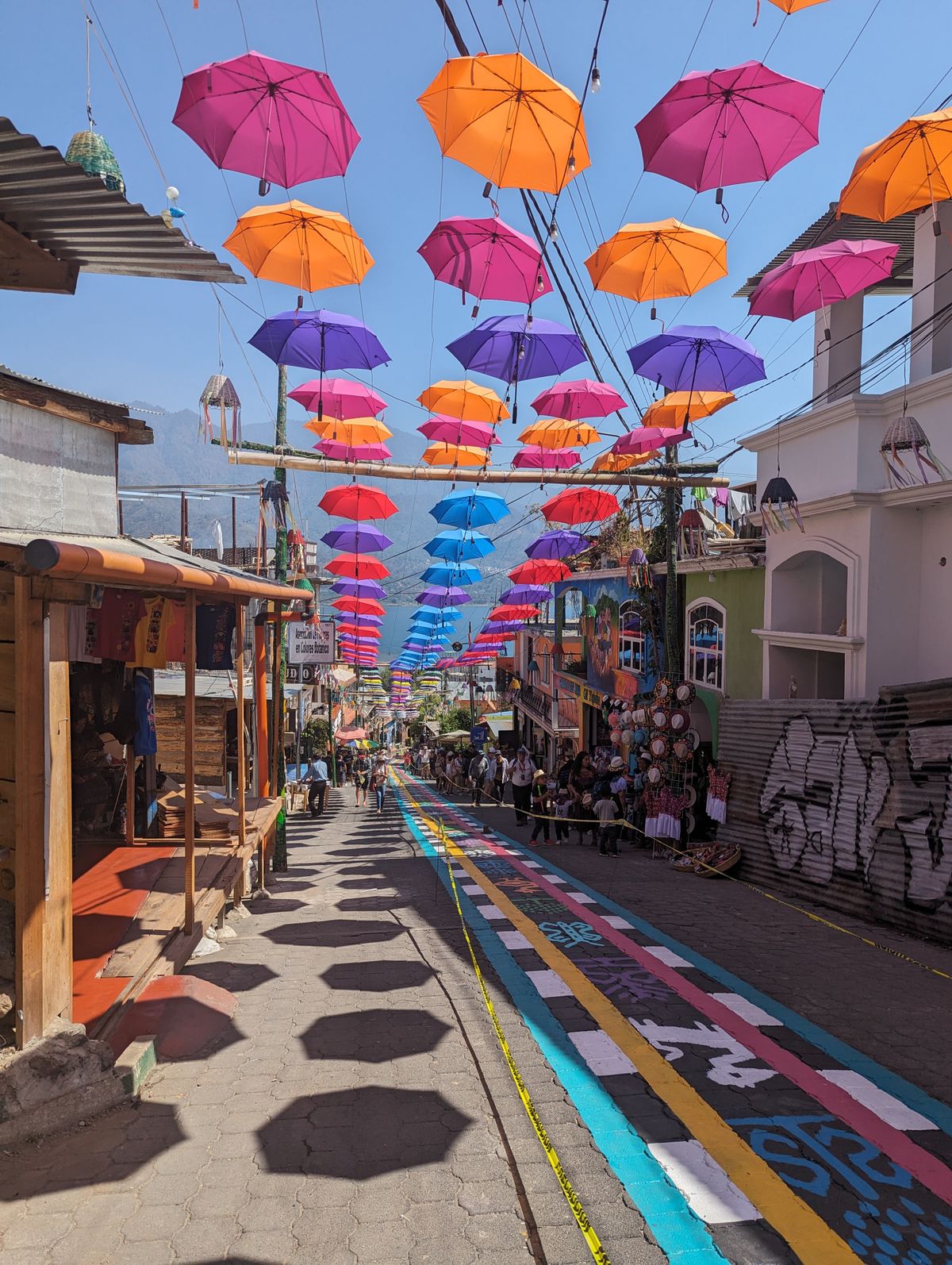
Guatemala eSIM: Stay Connected Across di Land of Eternal Spring
Skip di SIM-card kiosks and land for Guatemala don already online. Na dis one dey show how eSIM go keep you connected from Antigua to Lake Atitlan with fast 4G/5G data.
Imagine yasef step comot from plane for Guatemala City, ready to explore colonial Antigua, di volcanic shores of Lake Atitlan, and di jungle temples of Tikal. With eSIM, you dey online di moment you land, no SIM-swapping or hunting for kiosk required.
Why use eSIM for Guatemala
eSIM na digital SIM wey you go install before you even leave house. E mean say no plastic wey you fit lose, no language barrier for phone shop, and no expensive roaming bill from your home carrier.
Activate in minutes by scan QR code
Keep your home number active for calls and WhatsApp
Pay one clear price, no surprise roaming fees
Switch plans immediately if you need more data
Get your Guatemala eSIM for 30 seconds
Sharp-sharp delivery, 4G/5G speed, no roaming bill.
Guatemala get two main mobile operators, Tigo and Claro, and both dey run solid 4G/LTE networks nationwide with growing 5G for major hubs. You go get reliable coverage for Guatemala City, Antigua Guatemala, and round Quetzaltenango (Xela). Tourist areas like Lake Atitlan and Flores near Tikal dey well covered, though signal fit fade for remote jungle and high mountain passes.
How to get connected
1Buy your Guatemala eSIM online and checkout for few minutes
2Open di email and scan di QR code to install di eSIM profile
3Turn on data roaming for di eSIM line when you reach and you don dey online
How much data you need
Light (1-3 GB): maps, messaging, di occasional post for short trip
Medium (5-10 GB): daily browsing, social media and photo sharing for one or two weeks
Heavy (15-20 GB+): video calls, streaming and using your phone as hotspot
Guatemala get plenty free Wi-Fi for hotels and cafes, so most travelers go dey fine with mid-size plan.
Good to know
Currency: Guatemalan quetzal (GTQ)
Capital: Guatemala City
Language: Spanish, plus plenty Mayan languages
Time zone: Central Standard Time (UTC-6), no daylight saving
Must-see: Tikal Mayan ruins, colonial Antigua Guatemala, and beautiful Lake Atitlan
FAQ
My phone go work with eSIM?
Most phones wey come out for di last few years support eSIM, including recent iPhones, Samsung Galaxy, and Google Pixel models. Check your settings for Add eSIM option and make sure di device carrier-unlocked.
When I suppose install di eSIM?
Install am before you travel using your home Wi-Fi. You fit set am up early and just switch am on once you land for Guatemala.
I fit keep my WhatsApp number?
Yes. Your eSIM only add data, so WhatsApp go continue work with your existing number while you dey browse for di local network.
Get your Guatemala eSIM for 30 seconds
Sharp-sharp delivery, 4G/5G speed, no roaming bill.
Yes. HelloSIM travel eSIM dey work throughout Guatemala on local partner networks, as long as your phone dey eSIM-capable and carrier-unlocked. You go get mobile data as soon as you land, no physical SIM to swap.
My phone dey compatible with HelloSIM eSIM for Guatemala?
Most phones from 2019 upward support eSIM, including iPhone XS and newer, Google Pixel 3 and newer, and recent Samsung Galaxy S, Note, and Z models. Dial *#06# and look for EID number, or check Settings, to confirm eSIM support.
I need unlocked phone to use Guatemala eSIM?
Yes. Your phone must dey carrier-unlocked to accept HelloSIM eSIM. If you buy am on carrier installment plan, contact dat carrier to confirm say e don unlock before you travel.
How I go install my HelloSIM eSIM for Guatemala?
After purchase you go receive QR code by email. Go your phone cellular settings, choose to add eSIM or mobile plan, scan di QR code, and follow di prompts. Di whole process go take just few minutes.
I fit install di eSIM before I fly go Guatemala?
Yes, and we recommend am. Install di eSIM on your home Wi-Fi before you travel so everything don ready. Many plans only start count data when di eSIM connect to Guatemalan network, no be at install.
When I suppose activate my Guatemala eSIM?
Install before you fly, but make e connect for di first time when you reach Guatemala. Check your plan details: validity dey usually start on first connection to local network or first data use.
How I go install eSIM on iPhone for Guatemala?
Go Settings, Cellular, Add eSIM, then Use QR Code, and scan di code from your HelloSIM email. Label am, and set your home line for calls and di HelloSIM line for data once you land.
How I go install eSIM on Android for Guatemala?
On most Android phones go Settings, Network and internet, SIMs, then Add eSIM or Download a SIM instead, and scan di HelloSIM QR code. Wording fit small small change depending on brand like Samsung, Pixel, or Xiaomi.
Which networks HelloSIM dey use for Guatemala?
HelloSIM dey connect to Guatemala leading mobile operators, primarily Tigo and Claro, wey together dey provide di widest coverage across di country. Your eSIM go automatically select di strongest available partner signal.
5G dey Guatemala?
5G still dey roll out and e dey mostly limited to parts of Guatemala City and few bigger towns. Across most of di country you go connect on solid 4G/LTE, wey fine well for maps, messaging, and streaming.
4G/LTE dey widely available for Guatemala?
Yes. 4G/LTE dey cover Guatemala City, Antigua, Quetzaltenango, and most towns and main highways. Na di most common technology wey you go use with your eSIM every day.
How coverage dey for rural Guatemala and di highlands?
Coverage strong for cities and along major roads but e fit weak for remote highland villages, deep valleys, and jungle areas of Petén. Expect small dead spots when you comot from populated areas or leave di main routes.
I go get signal for Lake Atitlan, Antigua, and Tikal?
Antigua and di main Lake Atitlan towns like Panajachel get good coverage. Round Tikal and remote Petén jungle e fit patchy, so download offline maps and any tickets before you enter di park.
How much data I need for one week for Guatemala?
For one week of maps, messaging, social media, and light streaming, most travelers dey comfortable with around 3 to 5 GB. Heavy streaming or hotspot use go push am higher, so consider bigger plan if you dey depend on video.
Which data plans HelloSIM dey offer for Guatemala?
HelloSIM offer range of data bundles wey size for short trips up to longer stays, with different data amount and validity windows. Pick di plan wey match your trip length and how much data you go likely use.
How much Guatemala eSIM go cost?
Price dey depend on di data amount and validity you choose, and e typically dey scale from small short-trip bundles to bigger multi-week plans. Check di current Guatemala plans on HelloSIM for exact pricing, because e dey vary by bundle.
How long my Guatemala eSIM go valid reach?
Validity dey depend on di plan wey you buy, e dey range from few days to several weeks. Di countdown dey usually start when di eSIM first connect to network for Guatemala, so buy validity window wey go cover your whole trip.
I fit use hotspot or tethering with my Guatemala eSIM?
Yes. HelloSIM data plans support personal hotspot, so you fit share your connection with laptop, tablet, or travel companion phone. Remember say tethering dey use your data allowance fast, especially with video.
I fit keep my home number while I dey use di eSIM for Guatemala?
Yes. Di eSIM dey work alongside your existing physical SIM or primary line, so your home number go stay active for calls and texts. Use di HelloSIM eSIM for data and keep home-line roaming off to avoid surprise charges.
How dual-SIM go work with Guatemala eSIM?
Your phone go run your home SIM and di HelloSIM eSIM same time. Set di eSIM as your data line for cheap local data, while your home number remain available for essential calls or texts if you like.
I need to change APN settings for Guatemala?
Usually no. Most phones dey configure di APN automatically when di eSIM activate. If data no work, HelloSIM go provide di correct APN for you enter manually under your cellular data settings.
I need to turn on data roaming for di eSIM?
Yes, turn data roaming on for di HelloSIM eSIM line only. Dis one normal for travel eSIMs and e no go incur extra charges, since your data dey come from di HelloSIM plan, no be your home carrier.
How I go top up or add more data for Guatemala?
You fit top up through your HelloSIM account or di app, no need swap anything. Add more data or extend validity to di same eSIM before or after you run low, and e go continue work.
Wetin go happen when my data finish for Guatemala?
Your data connection just go stop until you top up or buy new plan. Nothing dey charge automatically, so you dey control everything. You fit add more data online anytime you find Wi-Fi or you still get small data.
I fit use di same eSIM for other Central American countries?
E depend on di plan. Guatemala-only eSIM go work only for Guatemala, but HelloSIM also offer regional plans wey cover multiple Central American or Latin American countries. Choose regional bundle if you dey also visit places like Belize, Honduras, or Mexico.
Di eSIM go work for Guatemala City airport?
Yes. Coverage for La Aurora International Airport for Guatemala City good, so your eSIM go connect small time after you land and switch off airplane mode. Install am before your flight so you dey online on arrival.
I fit make phone calls and send SMS with di eSIM?
HelloSIM eSIMs na data-only, so dem no include local phone number for regular calls or SMS. You fit still call and message over di internet using WhatsApp, FaceTime, Messenger, or similar apps.
How I fit make calls for Guatemala with data-only eSIM?
Use internet calling apps over your eSIM data. WhatsApp dey extremely common for Guatemala for both voice and video calls, and services like FaceTime, Telegram, and Messenger also dey work well over di data connection.
My eSIM dey show no service for Guatemala, wetin I go do?
First confirm say data roaming dey on for di HelloSIM line and airplane mode dey off. Then toggle airplane mode on and off, or restart di phone. If e still no work, manually select network like Tigo or Claro for settings.
My eSIM no dey register on network, how I go fix am?
Check say di HelloSIM eSIM dey set as your data line, roaming dey enabled, and di correct APN dey set. Restart di phone and manually choose Guatemalan carrier for network settings go resolve most registration issues.
Wetin be di emergency number for Guatemala?
Dial 110 for National Civil Police. For fire and rescue call 122 or 123, and for Red Cross ambulance call 125. Tourists fit also reach di PROATUR tourist assistance line for 1500 for help in English.
Wetin be typical mobile data speed for Guatemala?
On 4G/LTE for cities you fit generally expect speed wey comfortable for streaming, video calls, and navigation. Speed go drop for rural and highland areas, and 5G still dey limited to parts of Guatemala City.
I fit use di eSIM for Google Maps and navigation?
Yes. Your data plan go work fine for Google Maps, Waze, and other navigation apps. For remote areas with weak signal, download offline maps of your region before hand so you fit navigate without coverage.
WhatsApp dey widely used for Guatemala?
Very. WhatsApp na di default messaging and calling app for Guatemala, wey hotels, tour operators, drivers, and locals dey use. Your eSIM data go let you use am for chats, calls, and sharing your location easily.
I go get Guatemalan phone number with di eSIM?
No. HelloSIM travel eSIMs dey provide data only and dem no assign local Guatemalan number. If you need callable number, keep your home line active or depend on internet calling apps for voice contact.
I fit use one eSIM on more than one device?
No. eSIM dey install and activate on one device and e no fit split across phones. If you want data for second device, use hotspot from your main phone or buy separate eSIM for am.
Wetin I go do with my eSIM when I comot from Guatemala?
Once your trip end and di plan expire you fit simply delete di eSIM from your phone settings. If you dey plan return, some plans allow top up later, so check before you remove am.
I fit get refund on my Guatemala eSIM?
Refund eligibility dey depend on HelloSIM policy and whether di eSIM don activate or don use. If you get unused eSIM or technical issue, contact HelloSIM support to review your options.
How I go check how much data I still get?
You fit view your remaining data and validity for your HelloSIM account or app. Checking regularly go help you decide when to top up so you no go lose connectivity mid-trip.
Guatemala eSIM cheaper pass roaming with my home carrier?
For most cases, yes. Standard international roaming rates dey often far higher pass local travel eSIM. HelloSIM Guatemala plan go give you predictable, prepaid data without bill shock when you reach house.
Any tips for staying connected while I dey travel for Guatemala?
Install and test your eSIM before you fly, download offline maps for di highlands and Petén, and save key contacts on WhatsApp. Carry power bank, since navigation and hotspot use dey drain your battery fast for road.
Di eSIM go work for land border crossings into Guatemala?
Coverage near major borders such as with Mexico, Belize, Honduras, and El Salvador dey generally decent for di Guatemalan side once you cross. For seamless data across neighbors, choose HelloSIM regional plan instead of single-country one.
Get your Guatemala eSIM for 30 seconds
Sharp-sharp delivery, 4G/5G speed, no roaming bill.